Accounting Features in D-Tools Cloud

Accounting that Keeps Up with the Job

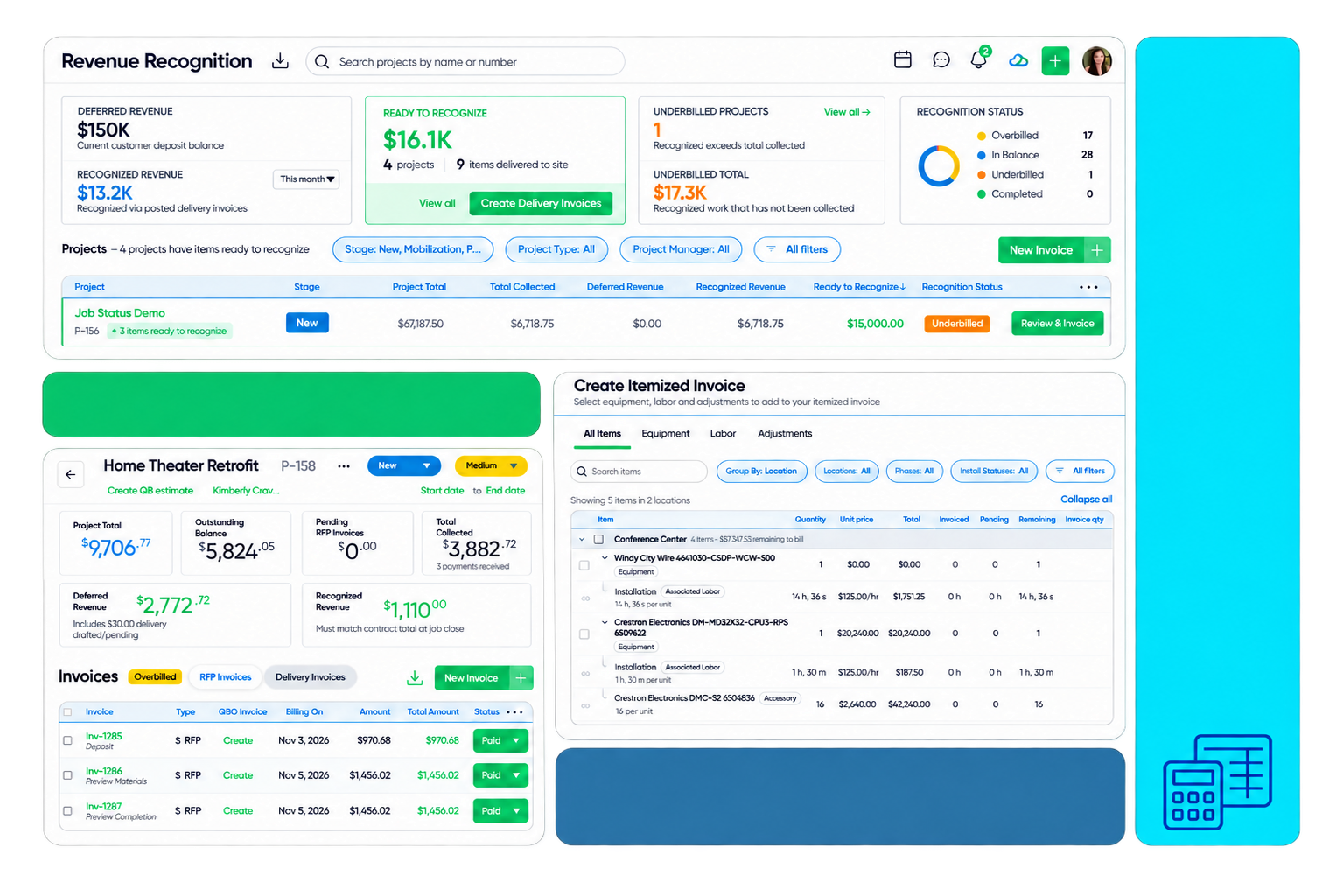
Invoices match the work because payment schedules update whenever a quote changes. Clients pay inside D-Tools Cloud, and eligible ACH deposits land in one business day instead of four. Each invoice syncs to QuickBooks or Xero with the project details your accountant needs, so your books match the work without a spreadsheet in the middle.
accounting_hero_1

Revenue Recognition and Deferred Revenue

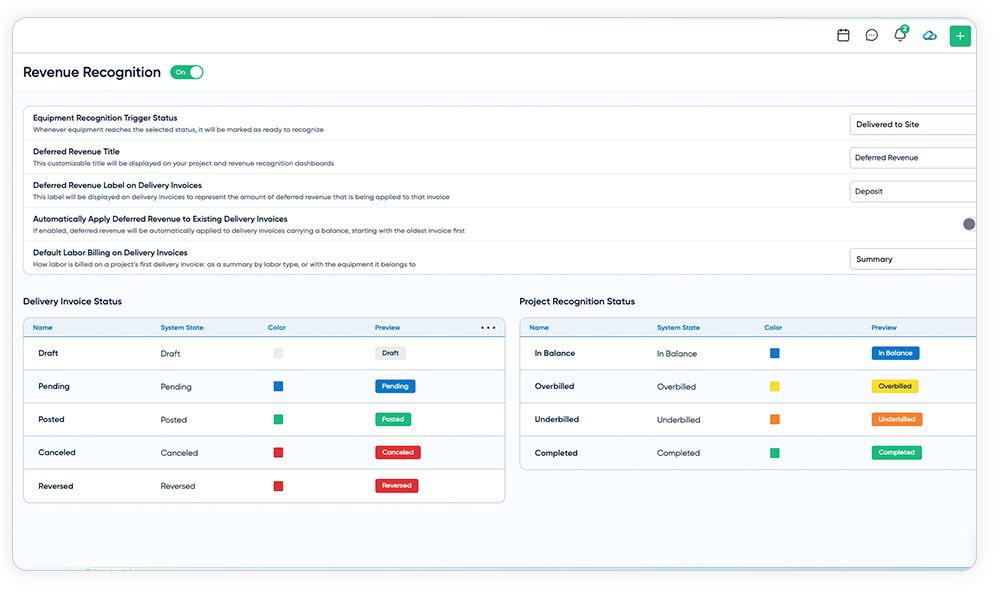
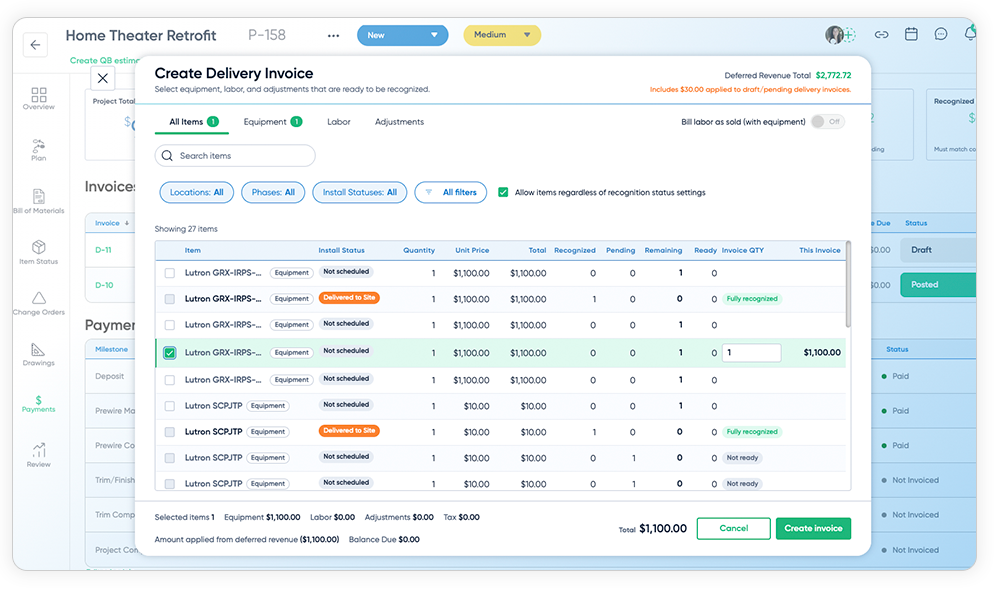
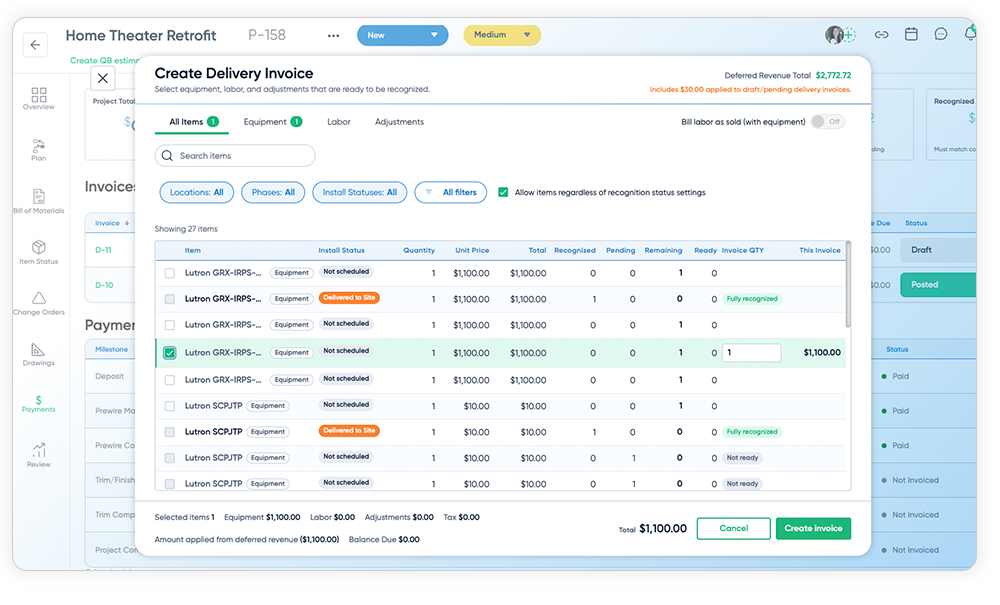
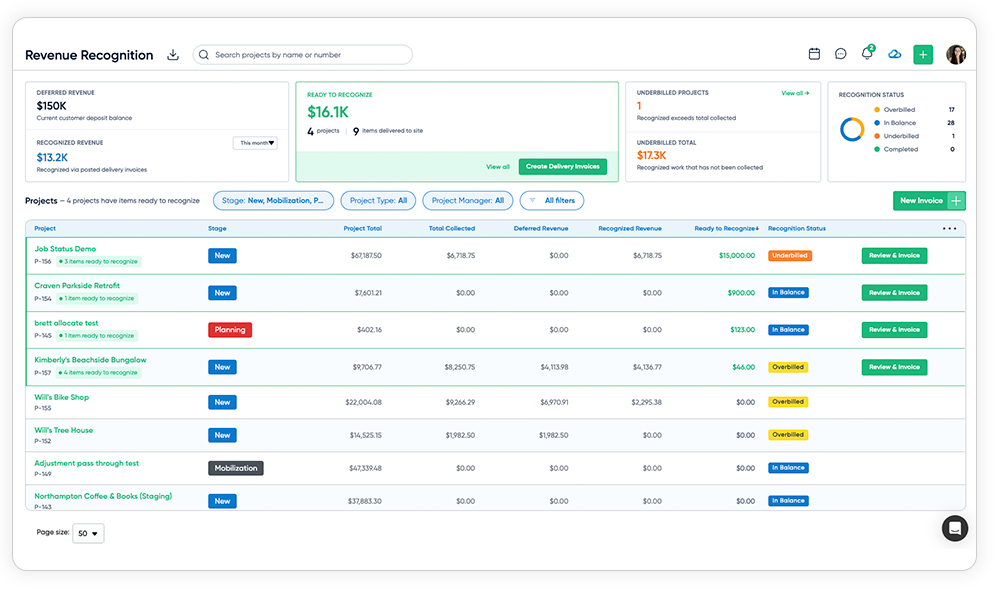
Revenue recognition in D-Tools Cloud now holds deposits as a liability and recognizes revenue as items when they are actually delivered or installed, so revenue lands in the right period and your books match your progress billing.
Create Delivery Invoice-1
Revenue Recognition Dashboard
Revenue Recognition

Collect Deposits on a Schedule

Send simple, flat-amount Requests for Payment (RFPs) on the schedule you set. Each deposit is held as deferred revenue until you deliver. It never shows up as income too early.

Create Delivery Invoice-1

Revenue Dashboard

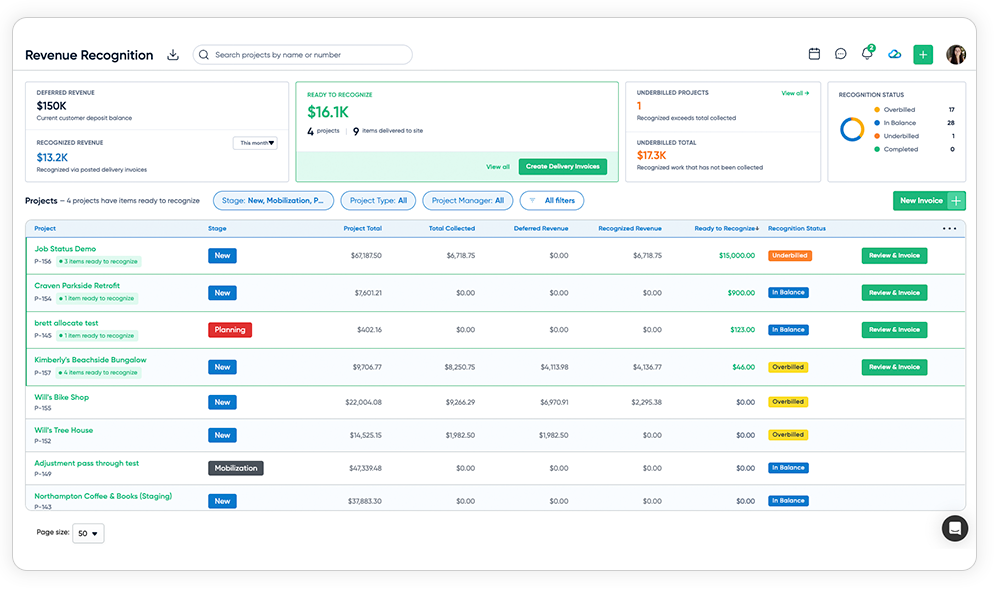
A new Revenue page shows deferred revenue, what you recognized this month, quarter or year, and which projects are underbilled. Each project and account shows what was collected, recognized and still due.

Revenue Recognition Dashboard

Release Deposits your Accountant’s Way

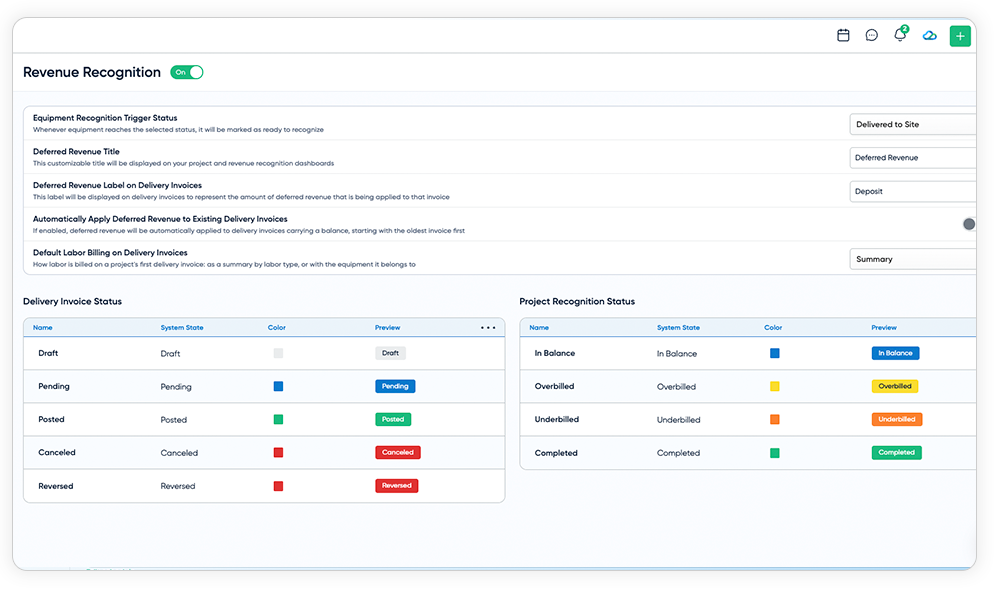
Apply deposits by credit memo, offset line or journal entry. Rename labels and statuses to match your books. You can turn the feature off and back on without losing history.

Revenue Recognition

Recognize Revenue as you Deliver

Pick your trigger: Delivered or Installed. When items reach that status, D-Tools Cloud builds the matching delivery invoice for you. Billing follows the work on site.

Sync it all to QuickBooks Online

RFPs and delivery invoices push to QuickBooks Online at the status you choose. Each one gets its own class, tax and deposit-liability mappings. Applied deposits also carry over to QuickBooks Desktop and Xero.

Bill the Way the Job Actually Runs

Create Itemized Invoice
Payment Schedules D-Tools Cloud
Payments within a quote
Revenue Recognition Dashboard
Create Itemized Invoice

Itemized Invoicing

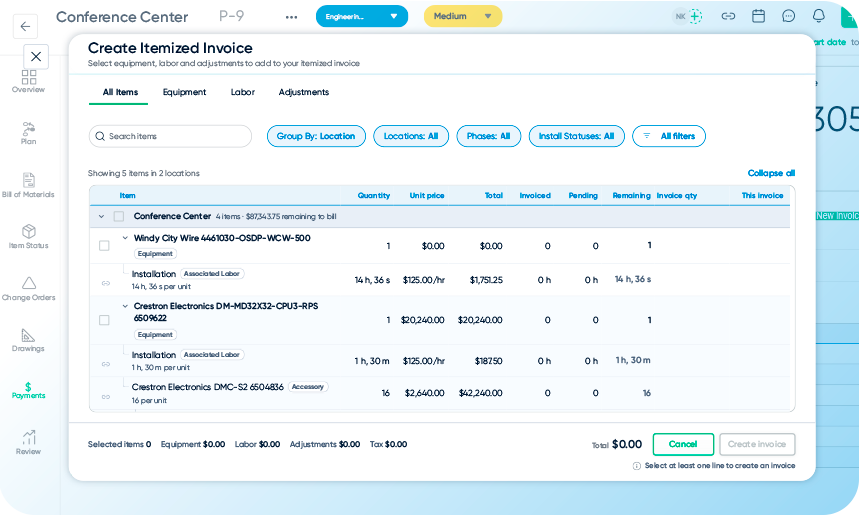
Not every invoice fits a milestone. Bill for the rack that arrived this morning, the half-day of labor your team logged, or a single adjustment. Start from the payment page, Item Status or the Bill of Materials, and every item shows what's been billed and what's left.
Payment Schedules D-Tools Cloud

Payment Schedules that Keep Up

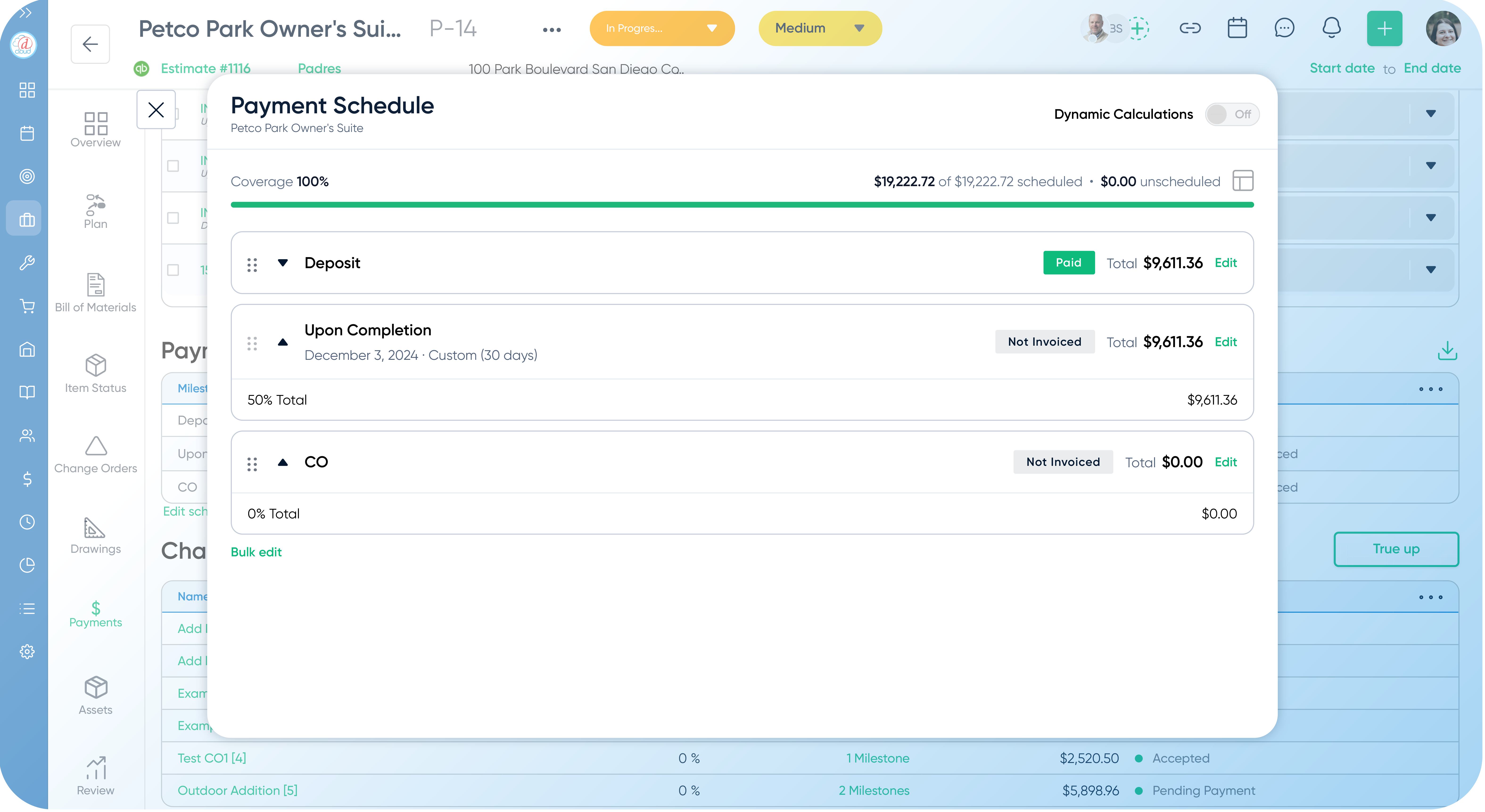
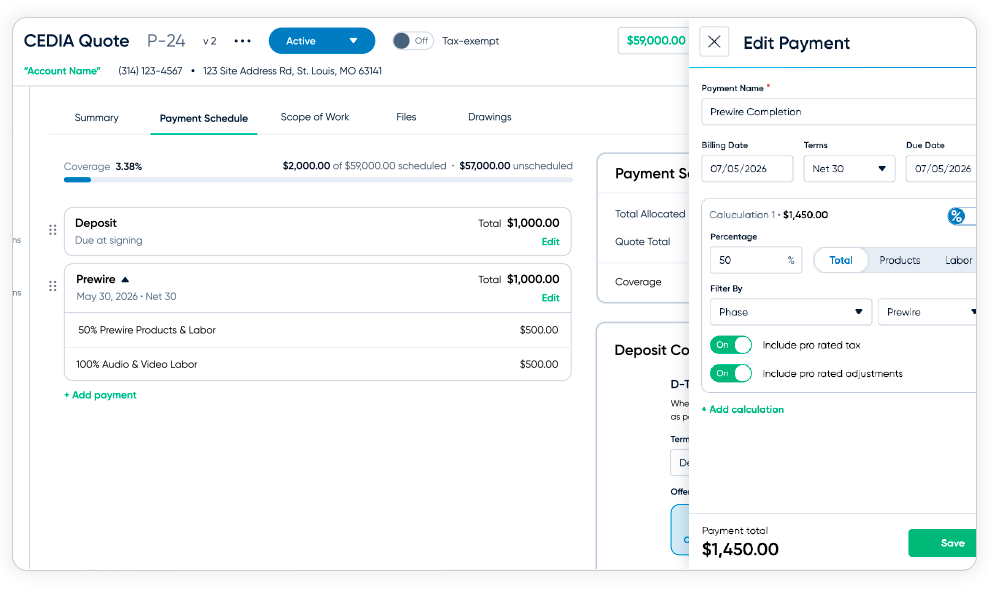
Set milestones as fixed amounts or as percentages of products, labor, phases, systems, locations or categories. When the quote changes, the milestones recalculate on their own, so your billing stays in step with the job. Save your rules as templates and manage every schedule from one Payment Schedule tab.
Payments within a quote

Quote with the Terms you Negotiated

Give each account its own default payment schedule, so every new quote starts with the terms you negotiated. Control who can change it, and filter accounts by schedule.
Revenue Recognition Dashboard

See Every Invoice Balance at a Glance

Each invoice opens with a clear summary of totals, payments, fees, refunds and balance due, on screen and in the PDF. The invoice number stands out so you and your clients find the right document fast. Once an invoice is paid, it shows how the payment came in.
Accounting Integrations

Tighter Quickbooks and Xero Sync

Keep D-Tools Cloud and your accounting system aligned. Clearer labels, smarter filters and dedicated mappings make reconciliation faster and take the guesswork out of month-end.

With D-Tools Cloud’s accounting integrations, you can:

  • Reconcile faster in QuickBooks Online with the “Memo on statement” filled in automatically with the D-Tools invoice number, project and invoice type
  • See split lines clearly labeled Taxable and Non-taxable
  • Find what hasn’t synced by filtering projects, invoices, purchase orders, billing and change orders by their QuickBooks Online or Xero mapping
  • Match records at a glance with Cloud PO and invoice numbers sent to QuickBooks Online, and the QuickBooks Online invoice number included in invoice exports
  • See paid status come back to D-Tools Cloud automatically from QuickBooks Online
  • Export invoices to QuickBooks Online automatically with D-Tools Payments, with transaction and convenience fees recorded for you
  • Bring applied deposits across as a negative line on the delivery invoice in QuickBooks Online, QuickBooks Desktop and Xero
Hybrid Inventory Screenshot

Get Paid Faster with D-Tools Payments
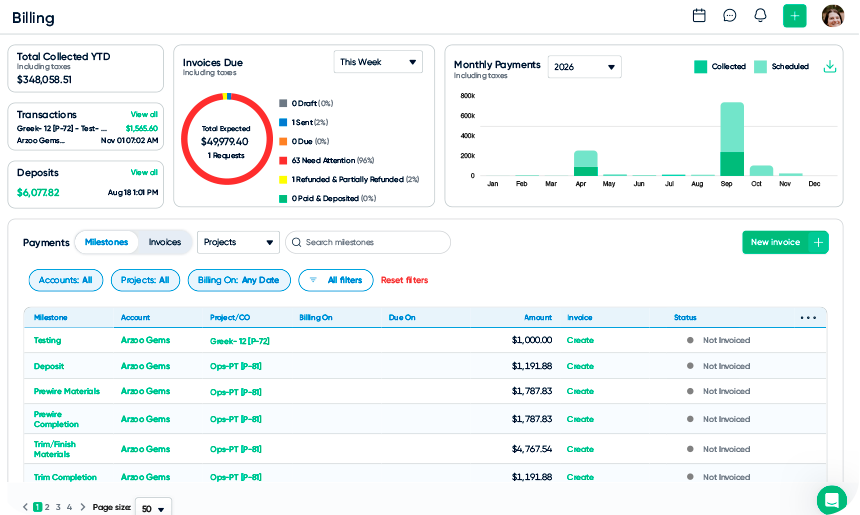
Get paid the next business day on eligible ACH payments, without leaving D-Tools Cloud. Your client pays the same invoice you sent, with any convenience fee shown clearly in the totals. You set whether quotes collect a deposit by default, and your finance team can pull payment reports covering up to a full year.
Billing Tab

Purpose-Built Controls for the Back-Office

Give your team the access they need, keep a clean audit trail, and see exactly how every project is performing.

Invoice Permissions

Separate permissions to create and manage invoices versus delete them, so you can hand off invoicing without handing over everything.

Accounting User Group

A ready-made Accounting user group gets new finance staff set up with the right access, fast.

Archive Instead of Delete

Archived invoices become read-only with the full snapshot kept — lines, taxes, notes, attachments and history — and the number is never reused.

Bulk Invoice Updates

Update the status of many invoices at once and filter invoices by salesperson — less clicking, more closing.

Job Costing Detail

Actual, budget and variance broken out for total cost, product cost, labor cost and labor hours on every project.

Tax Setup

Store tax IDs on your company profile with their own permission, and turn off tax-exempt handling if you don’t need it.

Clearer Invoicing

Prominent invoice numbers, clear balance-due summaries, and paid invoices that show how they were paid.

Customer Payment Terms

Assign default payment schedules by account, control who can change them, and filter accounts by schedule.

Start a Free Trial

Simplify Your Workflow with D-Tools Cloud

Drive sales, discover smarter project management and seamless collaboration. Start your free trial today to see how D-Tools Cloud can optimize your business operations from beginning to end. 
cloud_header_ms