
Ask any seasoned integrator what slows their service business down, and you will hear the same thing in a dozen different ways: nobody can tell which physical unit is which. Counts work fine for receiving and reordering, but the moment a customer calls about a failing amplifier, a tech needs to roll a truck, or an auditor asks for chain of custody, count-based inventory falls apart. You know you have 12 of them. You just do not know which one is on the wall.
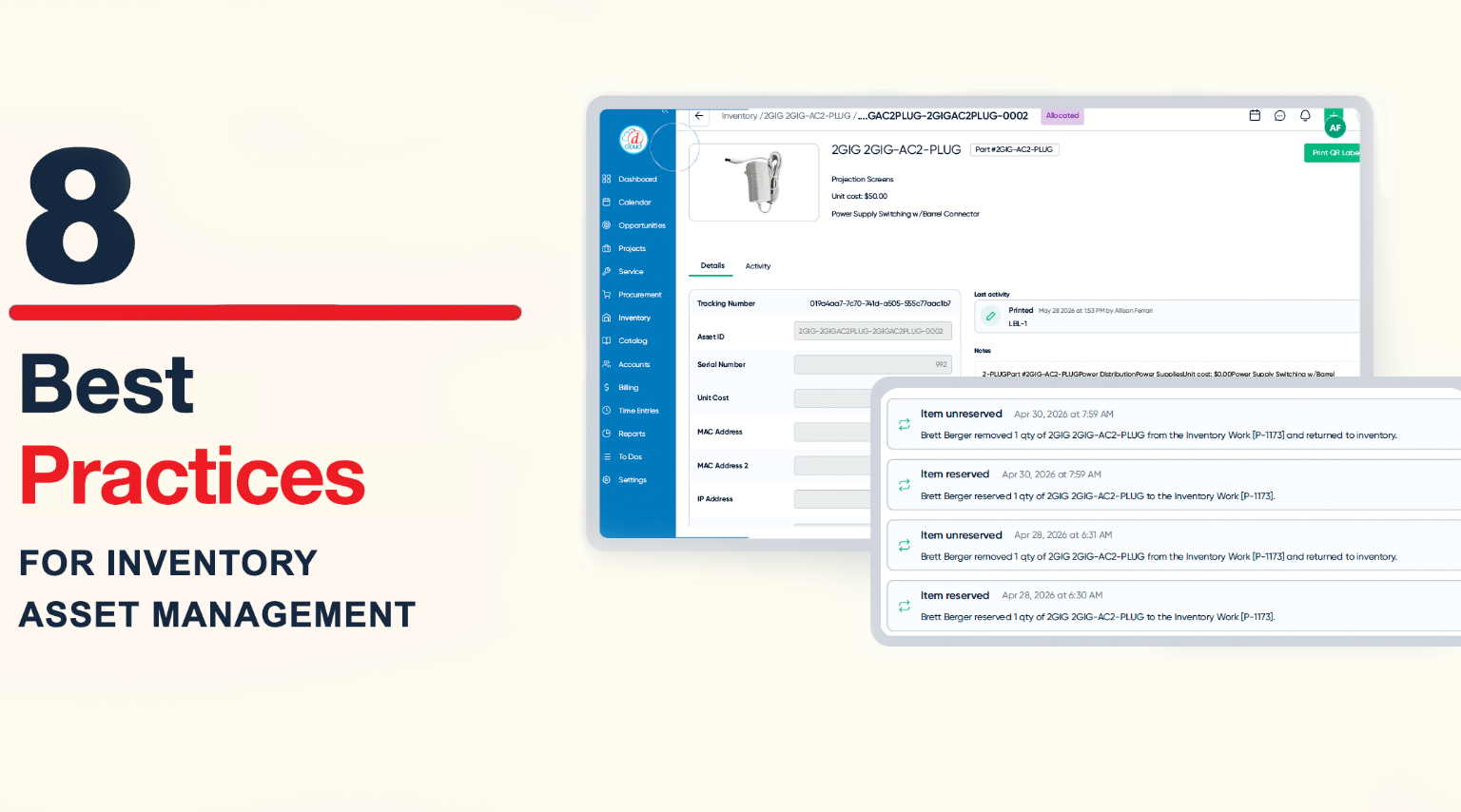
That gap is what the new Inventory Asset Management feature in D-Tools Cloud is built to close. Each component carries its own serial number, warehouse location, project assignment, actual unit cost, firmware version, notes, and a full lifetime audit trail. It is a different mindset, and like any new mindset, it rewards a thoughtful rollout. Here are 8 best practices for the switch.
1. Decide What to Track as an Asset vs. Bulk Parts
A key decision is determining what gets a unique identity and what does not. Inventory Asset Management is purpose-built for unitized, high-value “durable” components: receivers, amplifiers, displays, sources, network switches, control processors, cameras, access points, etc. However, D-Tools Inventory Asset Management can also track “consumable” pooled parts if so desired.
In the software, users can designate entire product category or subcategory as pooled or unitized. They can also override individual products if they wish within a category or subcategory, giving them full flexibility.
So, it is advisable for users to consider which product categories they wish to be unitized and which ones they want to be pooled. Some potential categories to be “pooled” include:
- Bulk wire and cable — speaker wire, CAT, coax, fiber, HDMI
- Connectors and terminations — RJ45s, keystone jacks, BNC, F-type, banana plugs, wire nuts
- Rack and mounting hardware — nuts, rack screws, zip ties, anchors
- Cable management — J-hooks, raceway, wire loom, grommets, D-rings
- Power consumables — outlet plates, power cords, surge modules, electrical tape
- Field consumables — batteries, cleaning supplies, labels, touch-up paint, pull string
2. Use a Barcode Scanner Whenever You Can
Once your unitized list is set, do not type… scan. A handheld scanner or phone camera turns the four high-frequency warehouse actions — receive against a P.O., move between locations, allocate to a project, look up a unit — into a one-second motion instead of a 30-second hunt.
Lean on batch mode. D-Tools Cloud lets you scan multiple items and move or allocate them in a single action, and bulk serial-number capture auto-advances field to field so a clerk can intake a full P.O. without touching the mouse. Train your team on the scanner first; everything else gets easier once it is a habit.
3. Customize Your QR Labels to Perfect your Flow
The label is the bridge between the physical world and the database. Inventory Asset Management lets you print configurable QR labels with the fields that matter on the warehouse floor, such as serial number, project name, scheduled install date, notes and more. A reprintable history of every label job is maintained for historical context.
Decide your label template and pick the two or three fields a technician will need at a glance. Two rules: every unitized item gets a label, and the label travels with the unit. The link between the box on the shelf and the D-Tools Cloud record only exists if the manufacturer’s serial is in the system or a D-Tools QR is on the product. One has to be true. Both is additional backup.
4. Capture True Per-Unit Cost at the Moment of Receipt
Catalog averages can smooth over price increases, vendor swaps, and one-off deals. By the time you are looking at job costing in arrears, the number on the page has very little to do with what you actually paid. Inventory Asset Management captures cost per asset at receipt, and that cost rides with the unit for the life of the record.
Make it a non-negotiable receiving habit that as the unit comes in, the actual cost goes in. That discipline gives you accurate COGS, honest margin tracking, First-In/First-Out-style cost flow, and a foundation for depreciation and warranty valuation that you cannot build on top of a rolling average.
5. Allocate Specific Units to Specific Rooms
In a count-based world, project allocation is “five of these.” In an asset-based world, it is “these five.” When you reserve a specific unit to a specific room, your warehouse picks the exact box, your tech installs the exact unit, and your service team (two years from now!) sees a record that points at the actual hardware on the wall versus a generic line item.
With asset management you will now reserve by unit, especially for higher-value gear. This additional front-loaded discipline yields considerable future value, preventing the “which-one-did-we-put-in” guesswork.
6. Use Per-Asset Notes as a Handoff Tool
Every unit can carry up to 3,000 characters of markdown notes. Treat that field as a shared notebook between the people who touch the hardware, for when: a receiving clerk notes a dented corner; a staging tech logs the firmware version and date; or a field technician writes which HDMI port to avoid.
None of those notes are dramatic on their own. Together, they are the difference between a service call solved on the first visit and one that becomes a return trip. Read the notes before the truck rolls, write to them before the van pulls away, and over time they become institutional memory.
7. Treat the Lifetime Audit Trail as a Business Asset
Every change to every unit — who, when, from what value to what value — is logged automatically, and an immutable tracking ID (in the form of a GUID, Globally Unique Identifier) preserves provenance even when customer-visible IDs are edited.
That audit trail is not just a compliance checkbox. It answers the questions that used to take half a day to research: when did this unit ship, who allocated it, when was it installed, which P.O. did it come in on, is it still under warranty? Check it before approving a warranty claim, quoting a service call, or writing off a “lost” unit. For integrators serving regulated environments, such as government, healthcare, financial services, that same audit trail is often the difference between qualifying for a contract and being disqualified.
8. Establish a Cadence for Technology-Refresh Upsells
Every product you install has a successor on the horizon. Every technology product sits on a protocol that improves on a predictable cadence. Wi-Fi 6 begets Wi-Fi 7. HDMI 2.0 becomes 2.1 and then 2.2. 1080p displays give way to 4K, 8K, OLED, and MicroLED. Built-in obsolescence is an unfortunate element of technology, but it is also one of the most reliable upsell signals in the integration business.
Whether you offer service plans or not, Inventory Asset Management lets you see those signals. Every installed unit carries its model, install date, firmware version and customer assignment in one searchable place. Which customers have a Wi-Fi 6 access point installed before 2024? Which sites are still on HDMI 2.0 in a 4K HDR world? Which homes have a 4K TV from the model year right before the brand’s 8K and OLED refresh? Those are named accounts in your D‑Tools Cloud database.
Build a quarterly cadence around it. Pick one or two categories per quarter, query the installed base for units one or two generations behind, and hand the list to account managers with a warm script:
“We installed this access point in 2022; Wi-Fi 7 will materially improve the streaming and conferencing in the rooms you use most.”
That is a categorically different conversation than a cold upgrade pitch, and the per-unit data is the engine of your next refresh cycle.
Putting It All Together
D-Tools Cloud Inventory Asset Management gives you the per-unit data so you can use these best practices to perform faster service calls, pocket higher profit, roll fewer lost trucks, and earn new revenue from existing customers, and a service business that scales without scaling its chaos.
