
Watch the full video above — or read the overview below.
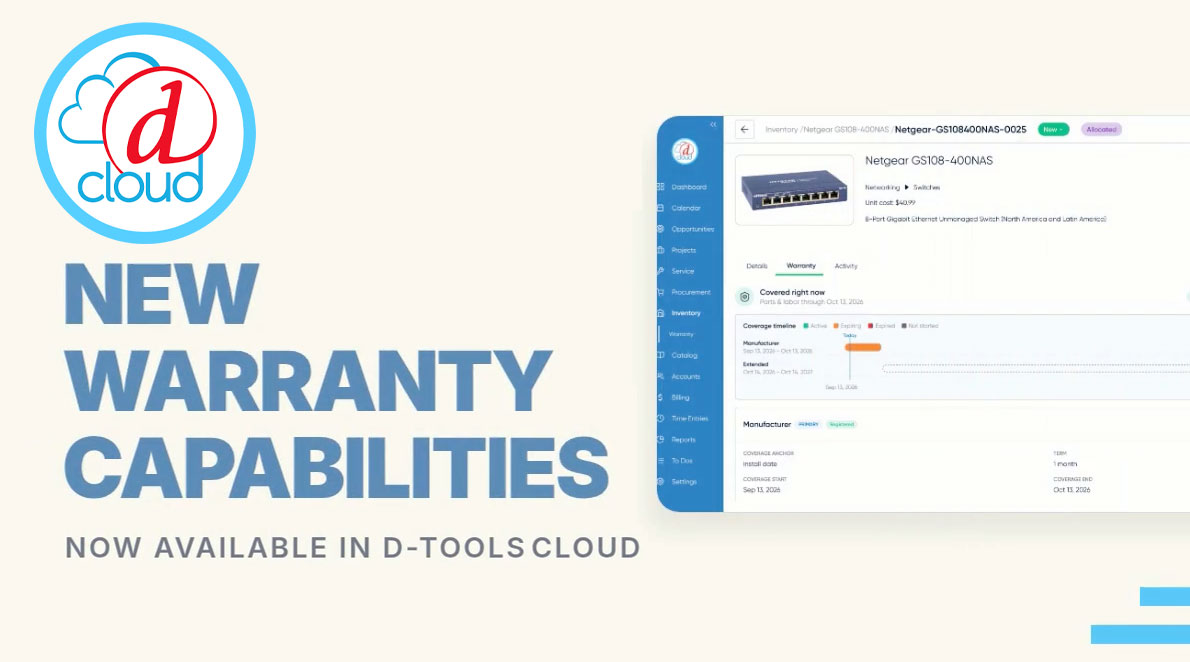
D-Tools Cloud introduces Warranty as a new capability for teams using Inventory Asset Management, allowing warranty coverage to be recorded, tracked, and managed on every serialized unit in a project.
Recording Coverage at the Unit Level
Every individual asset now includes a Warranty tab, where coverage details — coverage type, provider, anchor date, term, and more — can be entered directly. Documentation can be attached, and coverage can optionally be flagged as requiring registration, giving teams a complete and compliant record for each asset.
Once saved, warranty details appear on a visual timeline, giving an immediate, intuitive view of coverage periods for that unit.
Stacking Coverage Without Gaps
Warranties can be layered — for example, adding an extended warranty configured to activate automatically right after a manufacturer's base coverage ends. That sequencing eliminates the coverage gaps that can otherwise slip through when warranty periods are tracked manually. The asset's timeline reflects both layers on a shared axis, making overlaps and gaps visible at a glance, and any layer remains editable after the fact. Once applied, the asset's Warranty Status updates automatically to Active.
Applying Warranty in Bulk
For teams managing multiple units of the same product, warranty coverage can be applied in bulk rather than one unit at a time. Selecting a group of assets and choosing "Apply Warranty" from the Actions menu applies independent coverage to each selected unit, following the same setup as a single item — with a preview step to confirm each unit's resolved end date before committing.
Category-Level Defaults
Warranty setup can also be automated at the category level. In Settings, a default warranty policy can be defined for an entire product subcategory — for example, Power Supplies — so that new products in that category inherit the default automatically going forward. Existing units can also have that default copied onto their record directly from the asset's Warranty tab.
Individual products can override their subcategory's default with their own warranty policy when needed. Because a product-level default is copied onto the record at the time it's applied, later changes to a category default never retroactively rewrite coverage that's already been recorded.
A Central View Across Every Project
The new Warranty Coverage dashboard brings visibility across every unit and every project in one place — surfacing what's currently covered, what's expiring soon, and what's approaching a registration deadline. Filters by status, coverage type, and provider help teams quickly narrow in on exactly what they need.
Warranty tracking is available now for D-Tools Cloud customers using Inventory Asset Management. For more detail on setup and configuration, visit the D-Tools documentation site.
