

See What's New in
D-Tools Cloud

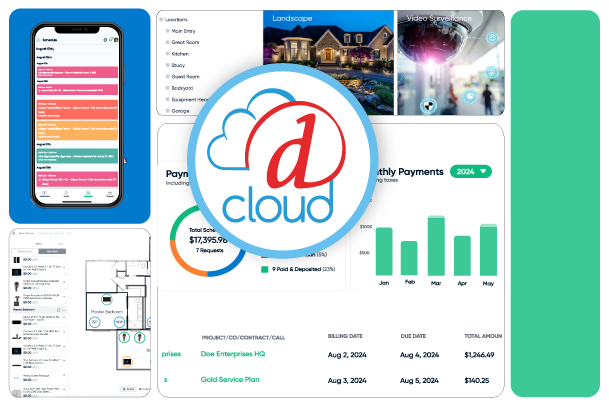
D-Tools has continued to make enhancements to all areas of our end-to-end cloud-based solution to help further streamline business processes, drive sales, and improve operating efficiency.
cloud_product_png

New Features/Enhancement Highlights:

Accelerated ACH Deposits

Accelerated ACH Deposits can now be enabled in D-Tools Payments Settings to allow eligible ACH payments to Next Business Day Funding schedule. The feature includes account-level enablement controls, confirmation dialogs, and invoice badges that show whether accelerated ACH is active.

Sales Results & Sales Forecast Enhancements

Get a clearer, more complete picture of your sales performance with updates to Sales Results and Sales Forecast. Subscription revenue now flows into both reports, a new Revenue option surfaces trends at a glance, and expanded date filters make setup faster. Drill into the exact opportunities, service calls, and change orders behind your numbers with the new Sales Results Details page — by team or by individual salesperson.

Hybrid Inventory Tracking

Track inventory the way you actually stock it — by individual serialized unit or by quantity, product by product. Receiving, bulk updates, service call allocation, and onboarding all adapt automatically, so your team always sees the right fields for each item. A new safety guard also catches tracking mode changes on allocated inventory before they cause problems, flagging exactly what needs to be resolved first.

Project Asset Pick List Report

Make job pulls fast and error-free with a A new Project Asset Pick List report can now be generated from the Project Item Status page. The printable PDF supports both inventory modes, respects the current page filters or selected rows, and provides location-based picking details for installers and warehouse teams.

Edit Controls for Drawings and BOM

This feature adds lock and unlock controls to protect finalized drawings and their associated Bill of Materials (BOM). Once a drawing is complete, users can access a three-ellipsis menu in the Drawing Manager to lock it, preventing further edits until it's unlocked by someone with the right permissions. Lock status is saved across sessions, with clear visual indicators showing which drawings are locked. 

Support for Multiple Wired Connections Between the Same Devices

This feature enables users to create multiple distinct wired connections between the same pair of devices, supporting real-world scenarios where devices are linked through several ports and cable types simultaneously (e.g., RS-232, IR, Relay, and Ethernet between a control processor and an AV receiver). Each connection is uniquely tracked with its own metadata, displayed clearly without overlap, and can be edited or deleted independently.

Connection View Creation and Filtered System Visualization

This feature introduces a dedicated Connection View, giving users a focused workspace for mapping device connections. Simply select the systems and locations you want to work with, and the view filters down to just that scope — a clean space to visually connect AV and network devices without the clutter of the full project. It operates independently of core project data, so you can close and recreate it with different selections anytime, risk-free.


New Permission for Project Overview: Billing & Payments Widget

This feature lets administrators control who can see sensitive financial data in the Billing & Payments widget on Project Overview. Grant visibility to roles like project managers, finance, or accounting, while everyone else sees a simple message instead of the widget body. Now you can protect sensitive numbers without disrupting how the rest of the team navigates the project.

Duplicate Proposal Templates

Proposal templates can now be duplicated directly from the template list. The duplicate flow opens a modal with a default copied name, preserves the source template’s settings, and adds the new template back into the grid after creation.

Customizable Cover Page with Title Block Management

Give your drawing sets a professional, on-brand first impression with customizable Cover Pages, right in the Drawing Manager. Select or create a title block, then edit text, logos, and branding directly on the page to match your company standards. Once set up, your Cover Page saves for reuse across every drawing set — consistent branding, no extra work.

Two-Step Item Connection

Connecting devices in your diagrams is now faster and more intuitive — just select two items, and the connection line draws itself, with both items automatically deselected so you're ready for the next one. A new Refresh button lets you reload the diagram state anytime without losing your work, keeping your diagrams reliable as you build them out.

IAM Support for Asset Condition and Images

Assets can now store a condition value, making it easier to track inventory states such as new, used, needs repair, or not functional. Condition is visible and filterable in asset lists, editable on the asset page with color-coded statuses, and changes are recorded in inventory activity history along with optional supporting images.
D-Tools Cloud Roadmap

Interested in what we have planned for D-Tools Cloud?

Discover what's coming next for D-Tools Cloud! Click the link to explore our roadmap and see the exciting new features we're actively working on. Get a sneak peek at what's launching soon, what's planned for next year, and beyond — keep an eye on features you're excited about!
roadmap1

Schedule a D-Tools Cloud Demo Today!

Schedule a demo to see the complete easy-to-use functionality of D-Tools Cloud to start streamlining your business process and building a healthier bottom line. Ask about our free trials!