
Inventory Management in D-Tools Cloud

Take Control of Your Stock, Streamline Your Workflow

We’re excited to announce powerful new Inventory capabilities in D-Tools Cloud, designed to provide an integrated, end-to-end solution for managing your products—from purchasing to allocation and tracking. Designed for efficiency, these tools provide a seamless way to manage products across your business, helping your team work more efficiently while ensuring you have the right items, in the right place, at the right time.
cloud_inventory
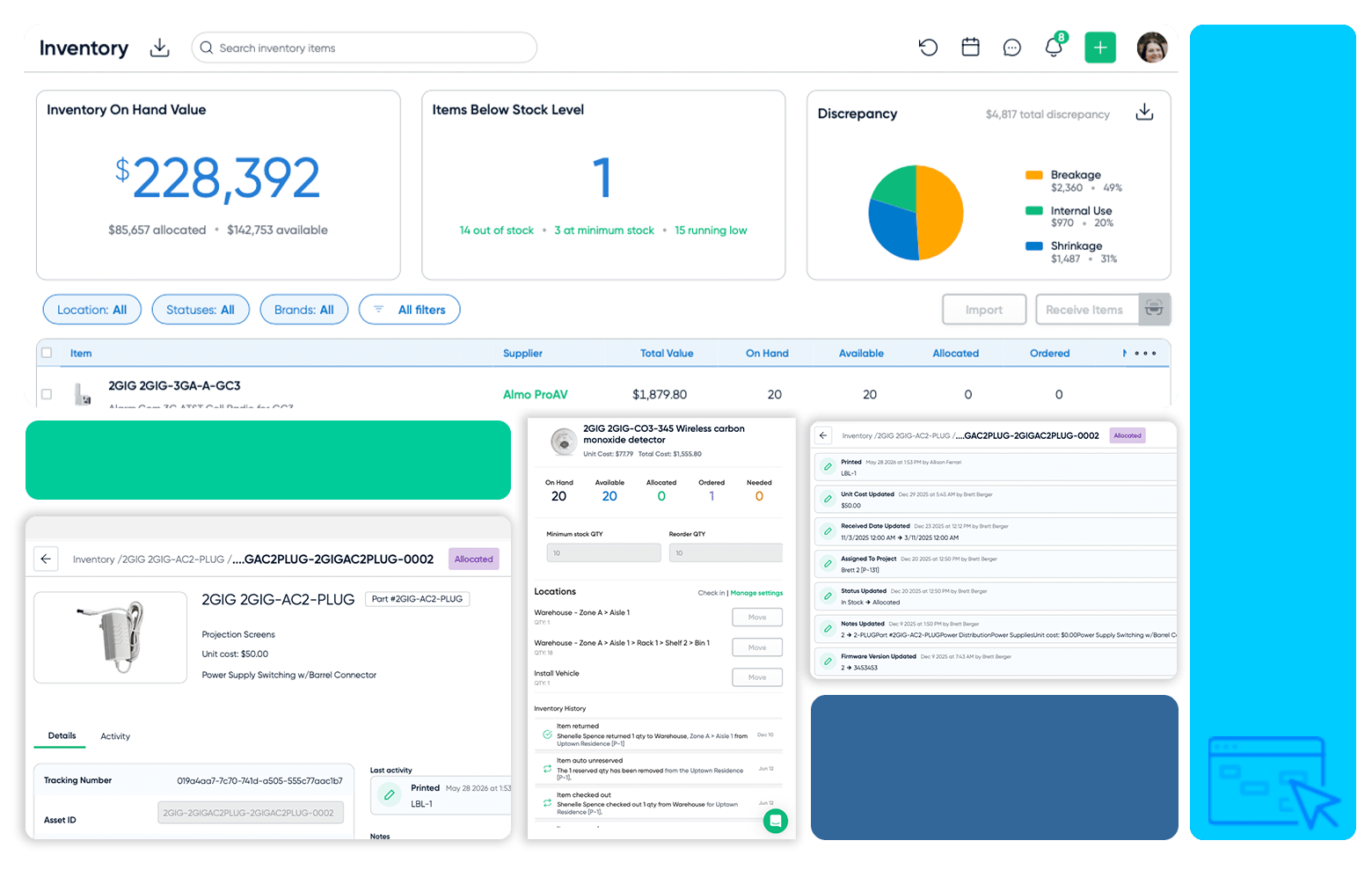
Inventory Management

Streamlined Ordering, Smarter Tracking, and Optimized Allocation
AIMitemtracking
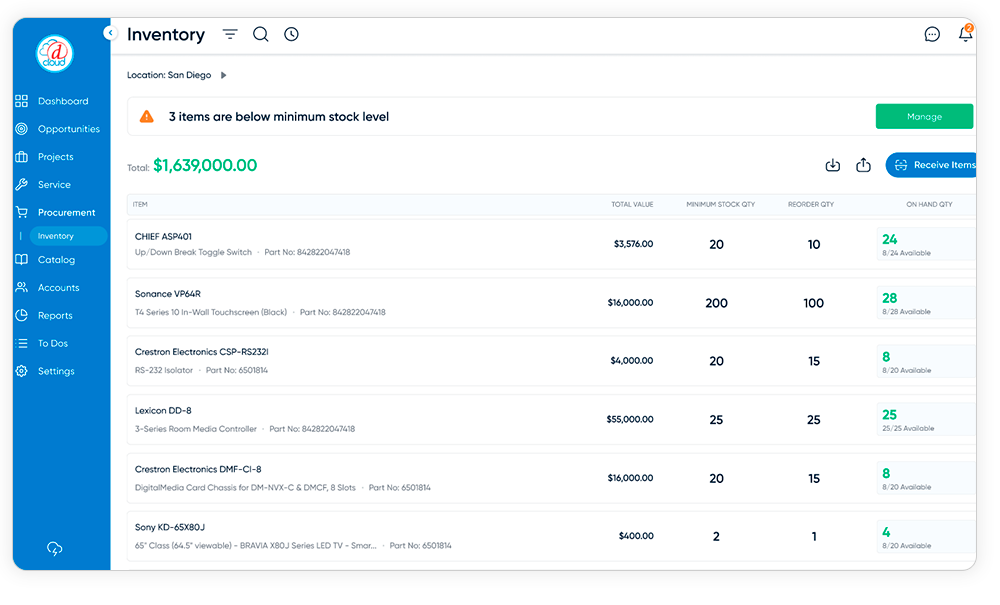
Inventory Asset Management

Inventory Asset Management is D-Tools Cloud's per-unit tracking mode, designed for integration businesses that need to know exactly which unit is where at every stage — not just how many are in stock. It assigns every physical item a unique identity the moment it's received, then follows that unit through its entire lifecycle from the warehouse to the customer site and beyond.

With Inventory Asset Management, you can:

  • Assign a unique asset ID, serial number, and QR code label to every unit at receipt
  • Track each unit's exact warehouse location and move assets between locations with a barcode scan
  • Reserve and allocate specific units to named projects and rooms — not just a quantity
  • Capture install date, location, firmware version, MAC address, and IP address per asset
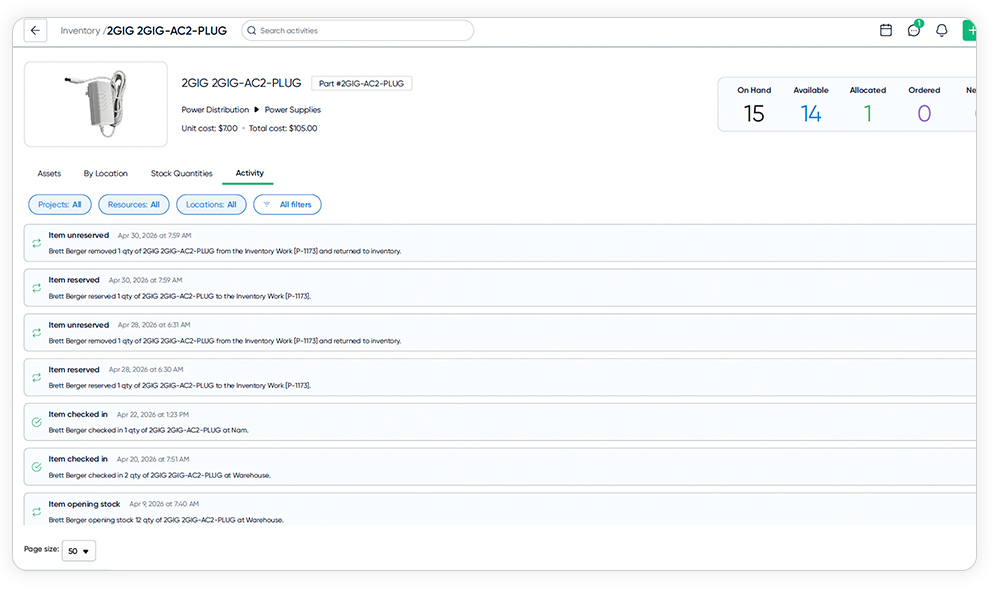
  • Maintain a full, immutable audit trail of every change to every unit — who, when, and what
  • Resolve warranty and RMA claims in minutes with P.O. date, serial number, and install record in one place
  • Document per-asset service history, repair records, and technician notes tied to the specific unit
  • Record the condition of every asset at the unit level, from New and Refurbished through to Needs Repair and Not Functional, with optional photo evidence attached directly to the record

Inventory Asset Management is the right choice for businesses where knowing which one matters — giving your team the serialized visibility, chain-of-custody documentation, and lifecycle intelligence needed to protect margins, accelerate service, and build long-term installed base intelligence.

NEW: Hybrid Inventory Tracking

Not every product needs the same level of tracking. A high-value amplifier deserves a serial number, a QR label, and a full audit trail. A box of wall plates just needs a count.

Hybrid Inventory lets you set the tracking mode per product. Choose Units for items you want to track individually, with serial numbers, QR labels, and per-asset history. Choose Pools for items where quantity by location is enough. Both modes work side by side in the same workflow, the same project, and the same inventory dashboard.

The result is a system that fits how your warehouse actually works, without forcing you to over-track the simple stuff or under-track the things that matter.
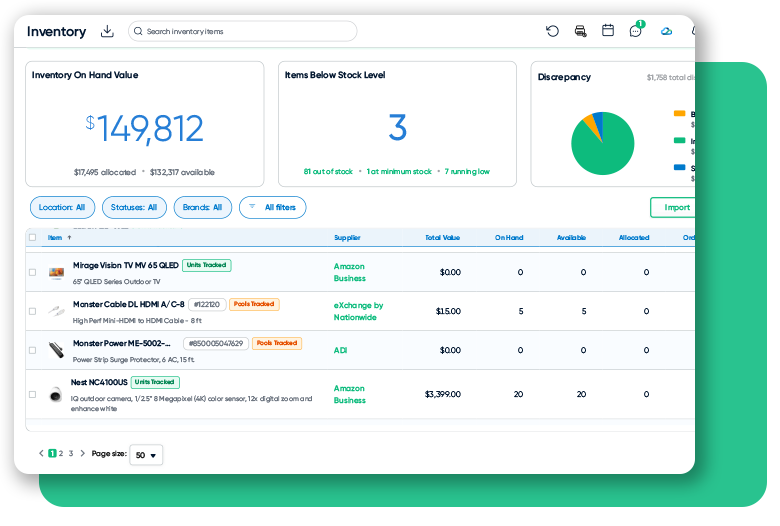
Hybrid Inventory Screenshot
IAMscan
IAMbatchmove
IAMbatchPO
IAMassetdetail
IAMscan

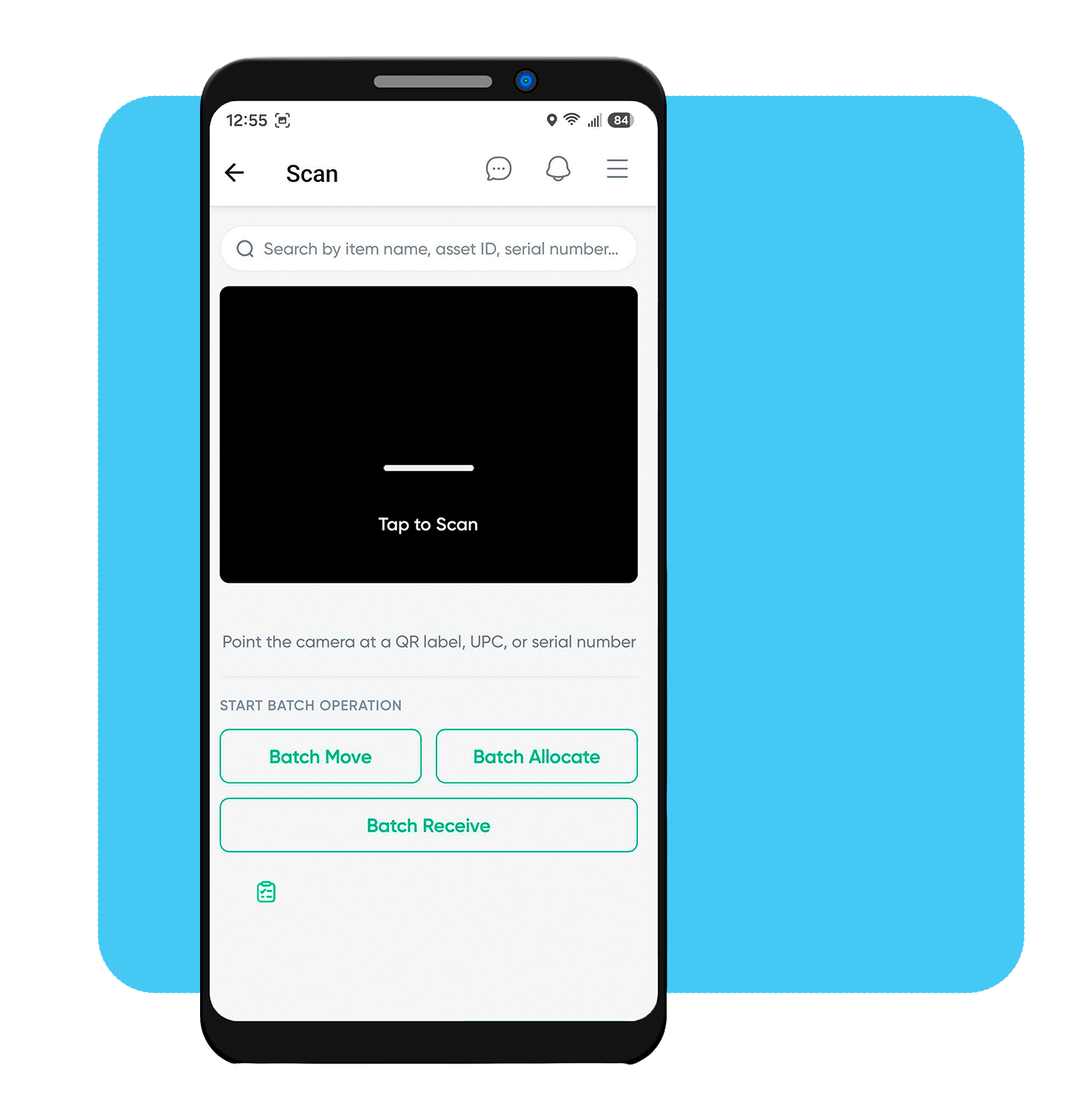
Scan to Find Anything

Turn your phone camera into a scanner. Point it at a QR label, barcode, serial number, or asset ID to instantly pull up any product or unit — no typing, no searching.
IAMbatchmove

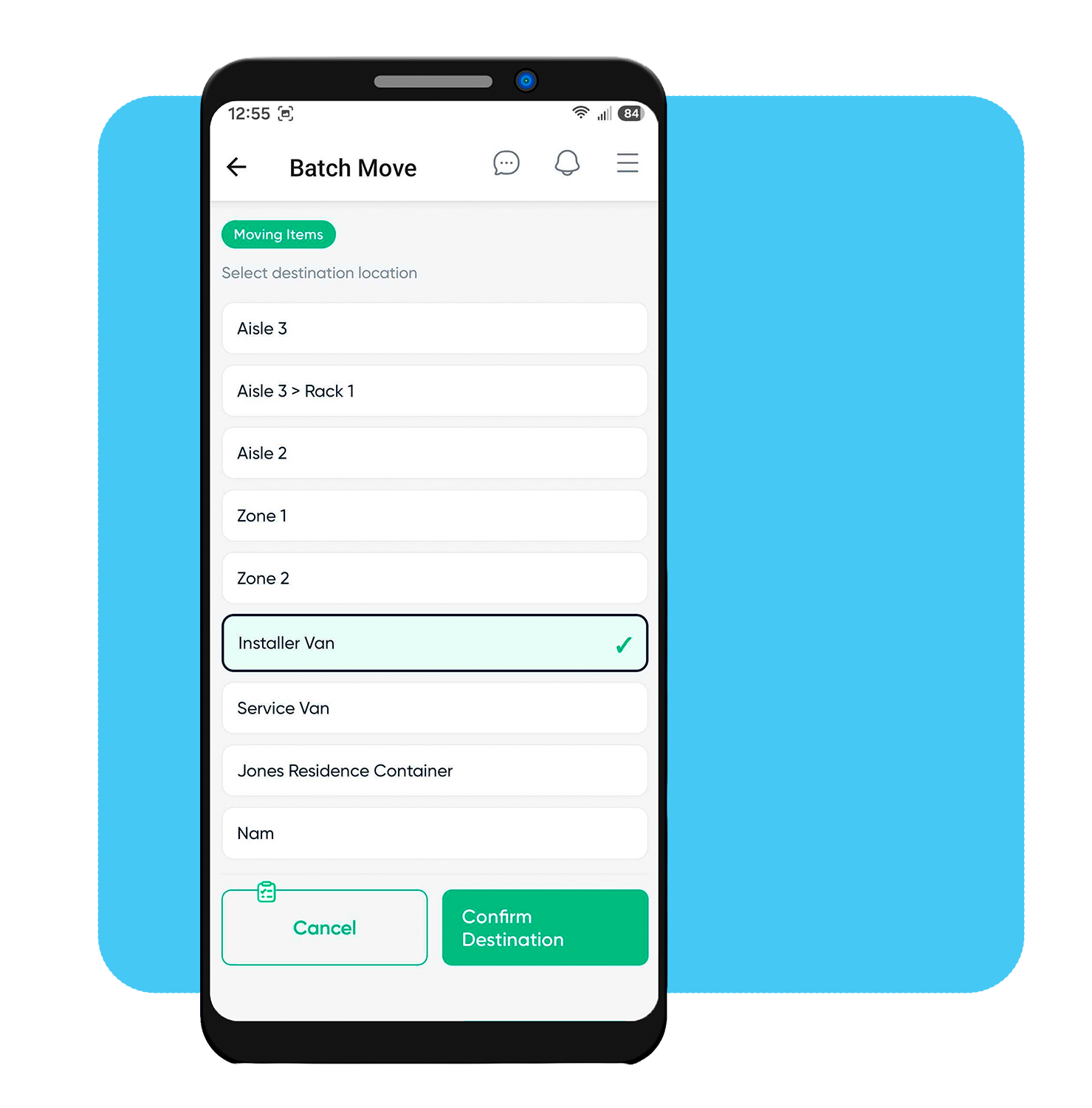
Bulk Move & Allocate

Scan a stack of units and handle them all at once. Move a batch to a warehouse zone, installer van, or job site in one action — or allocate scanned units straight to a project and the exact room or item they fulfill.
IAMbatchPO

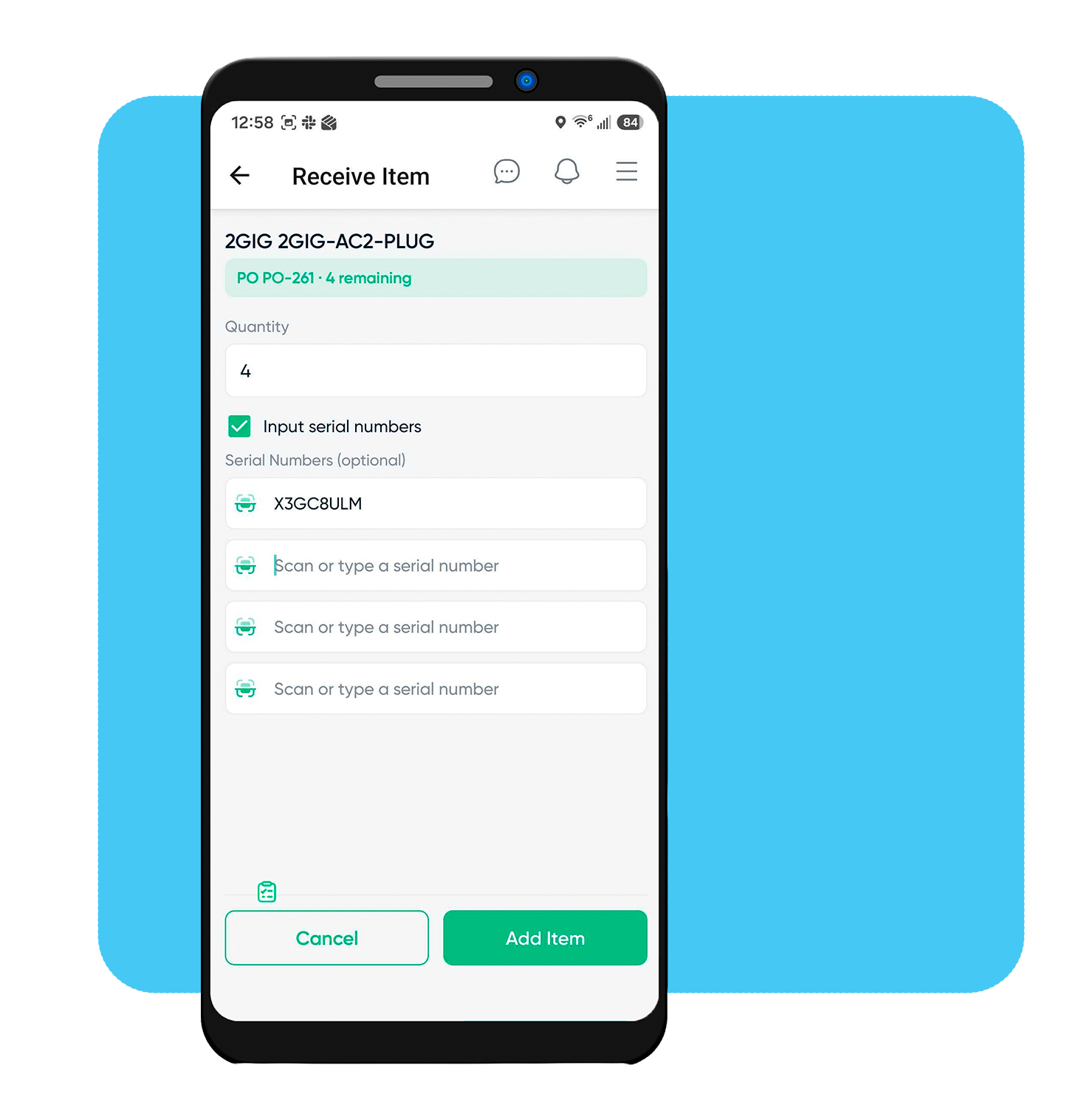
Receive & Serialize on the Spot

Receive against a purchase order with remaining quantities shown, or receive without one and choose the destination yourself. Capture serial numbers as you unbox each unit, or work through a scrollable list to catch up on stock still missing.
IAMassetdetail

Full Asset Detail, Wherever You Are

Edit any asset field right from your phone — Asset ID, serial, MAC, IP, firmware, notes — each with a camera icon to scan the value straight off the product. See every unit's exact location by warehouse node, with a one-tap Move, and a full audit trail matching what you'd see on the web.

Purpose-built Inventory Management to Simplify Workflows and Boost Efficiency

Procurement Home New Module
inventory mobile
inventory per unit tracking
item status new module
Item Status schedule new module
Inventory - D-Tools Cloud_1.3

Streamlined Purchasing Process

Centralized purchasing workflows ensure smoother operations and better tracking.

Procurement Home New Module

Enhanced Product Receiving

Receive mixed batches of unit-tracked and pool-tracked products in a single session, with QR labels that can display received dates for added traceability.

inventory mobile

Real-Time Inventory Tracking

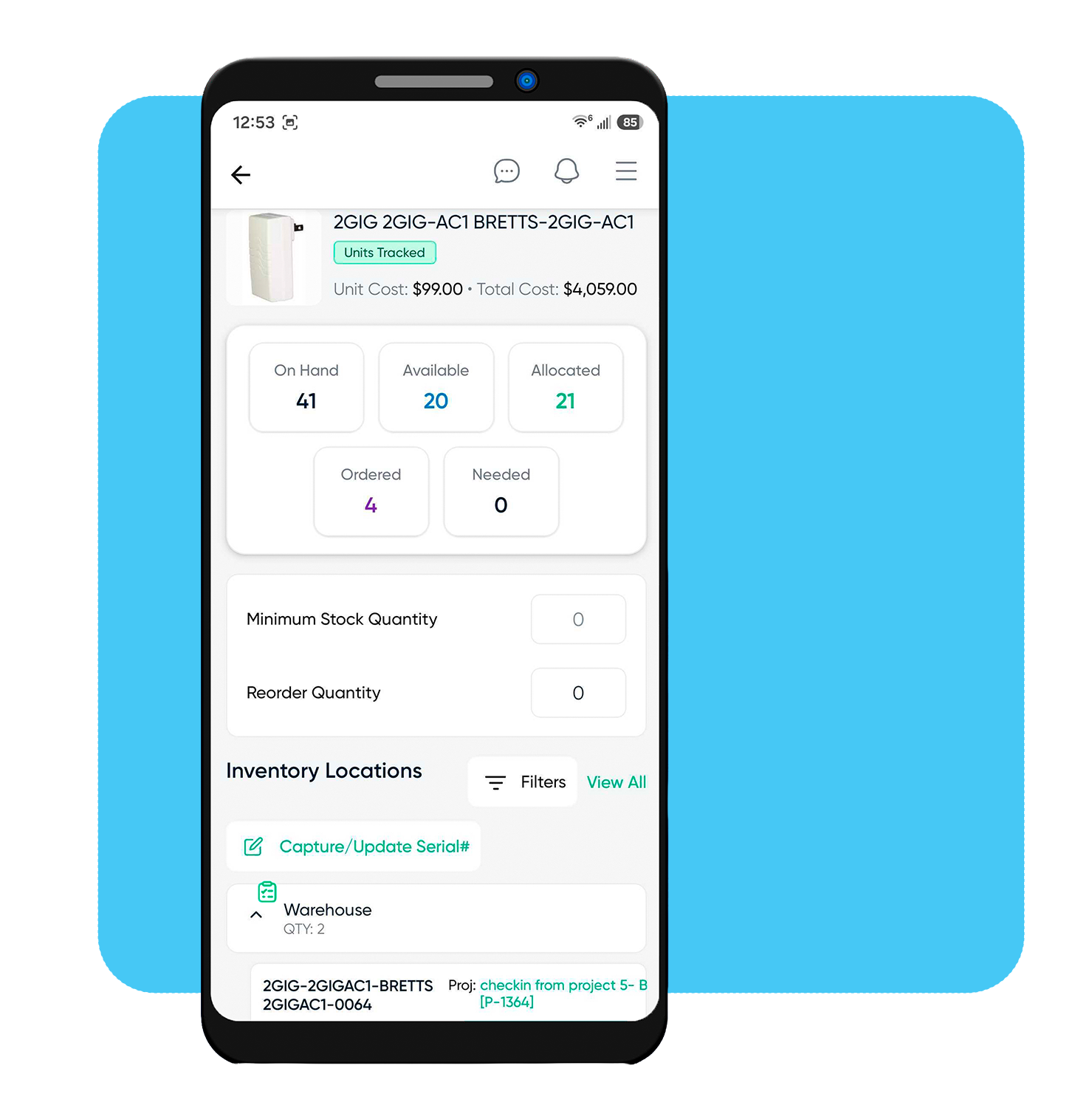
Track inventory by individual asset or by quantity, with by-location visibility, condition status tracking, and quick-allocation tools for faster check-out.

inventory per unit tracking

Smarter Inventory Allocation

Reserve and allocate individually tracked units or pooled quantities, with workflows tailored to each product's tracking method.

item status new module

Efficient Re-Ordering

Set low-stock alerts to ensure critical items are always available. Automate re-ordering quantities to help maintain optimal inventory levels.

Item Status schedule new module

Per-Unit Tracking

Track every physical unit through its complete lifecycle — from receipt and warehousing to project allocation, installation, and post-install service.

Inventory - D-Tools Cloud_1.3

Streamline Inventory Management Across the Organization

business owner inventory project management warehouse manager image Field Tech Installer
Business Owner
business owner inventory

D-Tools Cloud’s Inventory Management simplifies purchasing, tracking, and allocation, improving efficiency, minimizing waste, and boosting profitability. Real-time insights enable strategic decisions, while scalable tools support business growth.

Project Manager
project management

D-Tools Cloud ensures products are reserved and tracked for projects, improving scheduling and reducing delays. Real-time insights and streamlined allocation help deliver projects on time and within budget.

Purchasing/Warehouse Manager
warehouse manager image

D-Tools Cloud streamlines ordering, receiving, stock allocation, and per-unit asset tracking with automated tools and real-time visibility. Managers can maintain optimal inventory levels, reduce errors, and trace every individual unit from the warehouse to the customer site.

Field Technician
Field Tech Installer

Scan a barcode or QR label to check a unit into a job site, move it from the van to where it's being installed, or receive a shipment on the spot no paperwork or waiting at the office. Capture serial numbers as you unbox stock, or work through what's still missing with a guided scan list. Everything you do updates in real time, so materials are tracked and available exactly where the work is happening.

Which one, where?
Inventory Asset Management

Inventory Asset Management is now live in D-Tools Cloud. Watch this short video to see how it works: from checking items into your warehouse and logging serial numbers, to allocating assets to specific project locations, printing QR labels, and keeping a full audit trail from the moment stock arrives to the moment it hits site. Per-unit tracking, built into the platform you already use.


Start a Free Trial

Simplify Your Workflow with D-Tools Cloud

Drive sales, discover smarter project management and seamless collaboration. Start your free trial today to see how D-Tools Cloud can optimize your business operations from beginning to end. 
cloud_header_ms