
See What's New in
D-Tools Cloud

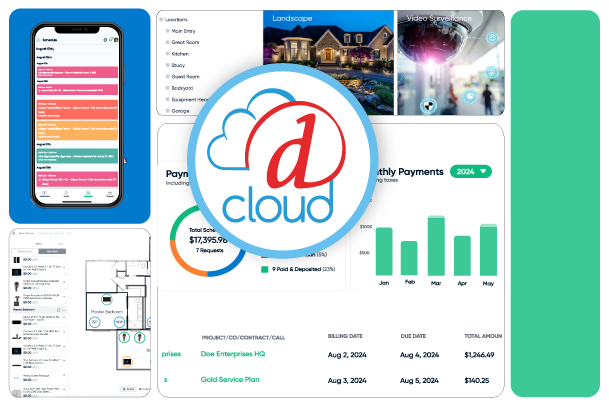
D-Tools has continued to make enhancements to all areas of our end-to-end cloud-based solution to help further streamline business processes, drive sales, and improve operating efficiency.
cloud_product_png

New to D-Tools Cloud: Inventory Asset Management

Inventory Asset Management is now live in D-Tools Cloud. Watch this short video to see how it works: from checking items into your warehouse and logging serial numbers, to allocating assets to specific project locations, printing QR labels, and keeping a full audit trail from the moment stock arrives to the moment it hits site. Per-unit tracking, built into the platform you already use.


New Features/Enhancement Highlights:

"Basic/Advanced Inventory" is now "Inventory Pools/Inventory Asset Management"

The two inventory modes have been renamed to better reflect what they do. Basic Inventory is now Inventory Pools, and Advanced Inventory is now Inventory Asset Management (also referred to as Asset Management or IAM). The functionality is unchanged — the clearer names now appear consistently across all menus, labels, and settings.
Learn More

Per-Product Tracking Mode

When Inventory Asset Management is enabled, each product's Stock Settings tab includes a Product Tracking Mode card where you choose between Units — individual asset records with serial numbers and QR labels — or Pools, which track quantity only. The setting lives on the product itself, so changing the category later won't affect how it's tracked. Switching modes archives or generates asset records as needed, and a confirmation dialog appears if any assets are currently allocated.


Learn More

Catalog: Add Labors, Hours, Phase, Supplier, Category Columns to Catalog Grid

Surface labor hours, phase, supplier, and full category path directly on the catalog products grid — validate and groom your catalog at a glance instead of opening items one by one. Show or hide columns to fit your workflow, with your preferences saved across sessions. Sort and filter on any of the new fields, making it especially useful for SI migrators and anyone doing catalog QA at scale.

Learn More

Deep Linking to Specific Pages & Shareable URLs

With Deep Linking in D-Tools Cloud, instantly share direct links to catalog items, projects, tasks, opportunities, and more — bringing your team exactly where they need to be in a single click. Faster navigation, better collaboration, no guesswork.


Learn More

Rename and Relocate Drawing Tab to "Drawings" in Opportunity Navigation

Diagram access within Opportunities is now streamlined — consolidated entry points and clearer navigation make it easier to find and work with your drawings. This update includes UI improvements, navigation restructuring, and removal of redundant elements, with no impact to your data. Future iterations may expand drawing capabilities within Opportunities, such as enhanced collaboration or version tracking.
Learn More

Diagramming Roadmap

The diagramming roadmap spans three areas. The Box Format Panel prioritizes consistent formatting across all box types, then adds presets, copy/paste style, typography controls, field-specific and conditional formatting, and validation — with later phases bringing live preview and intelligent recommendations based on box dimensions. Box Placement and Resizing starts with reliable placement, movement, selection, and resizing, then introduces snap-to-grid, alignment indicators, collision detection, grouping, and precision controls, followed by advanced tools like distribute spacing, align to zone, and automated layout repair. The Diagram-Level Title Block Panel begins with a clear assignment workflow from within diagrams, adds validation, inline editing, preview-before-apply, and the ability to switch title blocks without losing custom text, and closes with bulk application across diagrams and project-level documentation sync.
Learn More

Render I/O Direction using Symbols

Input and output directions are now displayed as intuitive symbols instead of text values, making I/O visualization faster to read across the platform.
Learn More

Terms and Conditions Section on Proposals

Proposals now include a dedicated Terms and Conditions section. You can customize the text, control how it's presented, and require customer agreement before a proposal can be accepted. Once accepted, the agreement is timestamped with the approver's name and the terms are locked from further editing. Terms and Conditions sections can also be saved in proposal templates.
Learn More
D-Tools Cloud Roadmap

Interested in what we have planned for D-Tools Cloud?

Discover what's coming next for D-Tools Cloud! Click the link to explore our roadmap and see the exciting new features we're actively working on. Get a sneak peek at what's launching soon, what's planned for next year, and beyond — keep an eye on features you're excited about!
roadmap1

Schedule a D-Tools Cloud Demo Today!

Schedule a demo to see the complete easy-to-use functionality of D-Tools Cloud to start streamlining your business process and building a healthier bottom line. Ask about our free trials!