
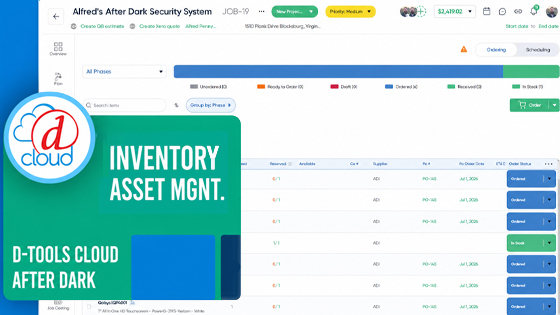
Watch the full session above — or read the recap below.
In a recent D-Tools Cloud After Dark session, Customer Success Manager Mitch Scott and Product Manager Brett Berger walked integrators through Inventory Asset Management, the new capability set that moves
D-Tools Cloud from count-based stock management to true per-unit asset tracking. The webinar covered why the shift matters, how it compares to traditional inventory pools, a full live demonstration of the asset lifecycle, and what's coming next.
Where traditional inventory tracking aggregates items into product totals, Inventory Asset Management gives every physical item its own digital identity — serial number, warehouse location, project assignment, actual unit cost, firmware version, MAC and IP address, and a complete history from the moment it's received to the moment it's installed.
Why It Matters
Scott opened the session with the business case. Industry estimates put annual loss from theft, waste, and misplaced inventory at 1–3% of revenue for residential integrators — $10,000 to $30,000 a year for a $1 million business, $20,000 to $60,000 for a $2 million shop. Most of that loss isn't dramatic; it's a unit pulled for the wrong job that never comes back, a return checked into the wrong location, or gear that should be on the shelf and isn't, with no clear explanation.
"When inventory only tracks total quantities, these things go invisible," Scott explained. "Inventory Asset Management was built to make that invisible stuff visible."
From Pools to Per-Unit Tracking
The session laid out the core distinction between D-Tools Cloud's two inventory modes. In inventory pools, quantities are tracked by location — four Sonos amplifiers means one row per warehouse, with unit cost reflected as a catalog average. In Inventory Asset Management, those same four amplifiers become four individual records, each with its own serial number, actual received cost, location, and history.
That shift unlocks several concrete advantages Scott and Berger highlighted during the demo:
-
Accurate job costing. True per-unit cost capture replaces catalog averages with the actual cost paid for each asset, improving COGS and margin tracking.
-
Location awareness at the unit level. Every asset can be located by serial number, MAC address, IP address, asset ID, or QR code — down to the specific bin.
-
Faster, better-informed service calls. Technicians can confirm exactly which unit is at a site, its firmware version, install date, and originating project before a truck leaves the shop.
-
Upsell visibility. Firmware and install-date data can be exported to build targeted outreach lists for specific customers running outdated hardware, rather than blanket communications.
-
Full accountability. Every move, change, and user action is logged with a timestamp, so ownership and history questions always have an answer.
-
Precise service history. Each device carries its own repair, firmware, and maintenance record — valuable for warranty claims and technicians walking into a service call.
Scott walked through a real project from start to finish to show how the workflow holds up in practice.
Reservation and procurement. From a project's item status view, available stock is reserved down to the specific serial number and location, with item-level notes (such as condition) visible before committing. Anything not on hand rolls into a purchase order in a few clicks, automatically tagged to the originating project.
Receiving. Once a PO is marked received, items are checked into inventory and serial numbers are captured immediately — best practice is to capture them at the point of receipt, using a USB scanner to check items in as boxes come off the truck. Where serial numbers aren't accessible, QR labels can be printed and used as the unique identifier instead.
Allocation and staging. Items can be allocated to a project automatically or selected manually — sorting by received date to move oldest stock first, or intentionally allocating previously opened units where appropriate. Allocated items can be marked staged and ready, and optionally relocated to a virtual staging area with updated labels reflecting the project and destination room.
Movement. Barcode and QR scanning support batch moves, allowing multiple assets to be relocated between locations at once, with every move logged by user, time, and destination.
Installation and history. Marking items installed updates inventory automatically. From that point, any asset's full activity history — received, ordered, labels printed, moved, installed — is available with a timestamp and user attached, supporting investigation of discrepancies and providing complete documentation for warranty or insurance purposes.
Getting Started
Turning on Inventory Asset Management is an account-level, optional decision — not a project-by-project setting. Because the switch involves a structural change to how inventory is stored, existing project reservations are reset when it's enabled, though a CSV snapshot of all reservations can be exported beforehand to reallocate quickly. A sandbox environment is available at no additional cost for teams that want to test the feature before committing; account managers can provide access on request.
Who It's Built For
Berger and Scott pointed to several signals that suggest a team is ready to make the switch: high-value or serialized equipment where losing track of a unit carries real cost, multi-location or multi-vehicle operations, serial-specific project allocation requirements, item-level history needs for insurance or warranty documentation, unexplained inventory shrinkage, and service workflows that depend on knowing exactly which unit is installed where. Printable, individualized asset labels support teams that want a physical tracking layer to match.
Inventory Asset Management is available now inside D-Tools Cloud. Integrators tracking serialized or high-value equipment can contact their account manager to request sandbox access and explore the feature with their own catalog.
