
As you may (or may not) be aware, we are constantly striving to improve our user’s experience with the SI platform. With this in mind, this entry will focus on three newer features of SI that our users are benefiting from the most.
For those of you who are ready to “get with the program” and upgrade your prior version of SI, please reach out to our Customer Success team. Moreover, for those of you who are still considering the acquisition of D-Tools SI software, please reach out to our Account Management team.
The multi-office feature in v23
The multi-office feature capability has been a long-requested addition, and it's finally here.
What makes this mechanism so interesting is the “top-down” structure it offers for teams that have multiple offices, locations, or are a part of a “parent” company with subsidiaries underneath them.
This is exactly the usage model for this feature that many teams have longed for since their initial deployment of SI.
Therefore, whether you’re setting up a new office in another city or establishing a hierarchy of your existing subsidiary, SI’s multi-office feature has got you covered.
In the SI Control Panel, select the Multi-Office Data Sync:

Next, enable your parent office and set the child locations accordingly. Always verify the IP details as well:
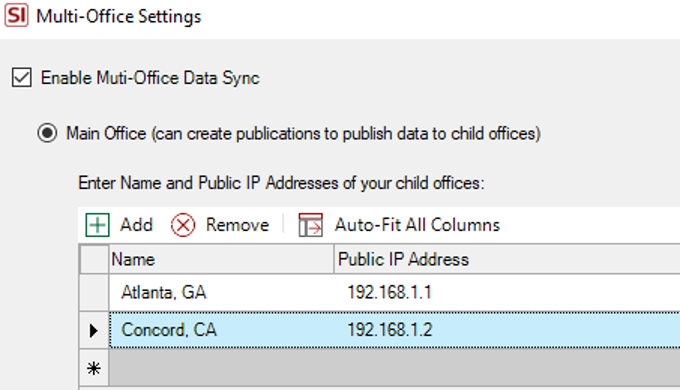
For the child offices to sync appropriately, just open the same window from the Control Panel in the child instance of SI (seen above here) and select Child Office:
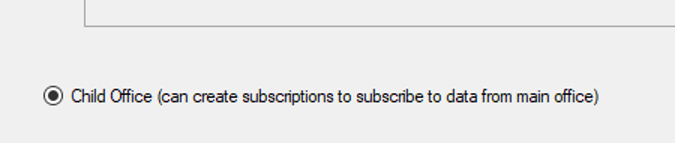
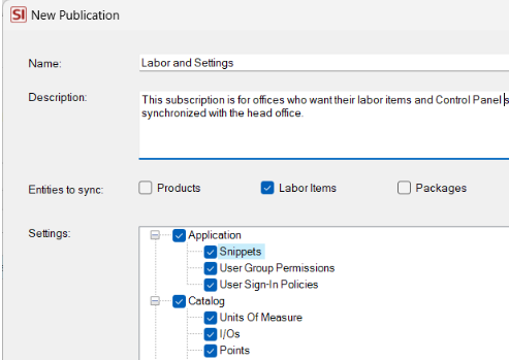
Once this structure is established, your Multi-Office Publications and Subscriptions need to follow accordingly.
Publications will determine what data is available from the Parent office to the child locations.
Subscriptions will determine what data is available in the Child SI Server.
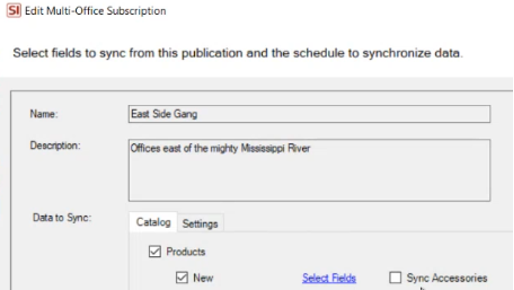
This enables the top-down flow of data as directed by the Parent office.
Keep in mind that other factors come into play during setup, but selecting the parent office is the foundation of your multi-office configuration.
Partial Project Approvals
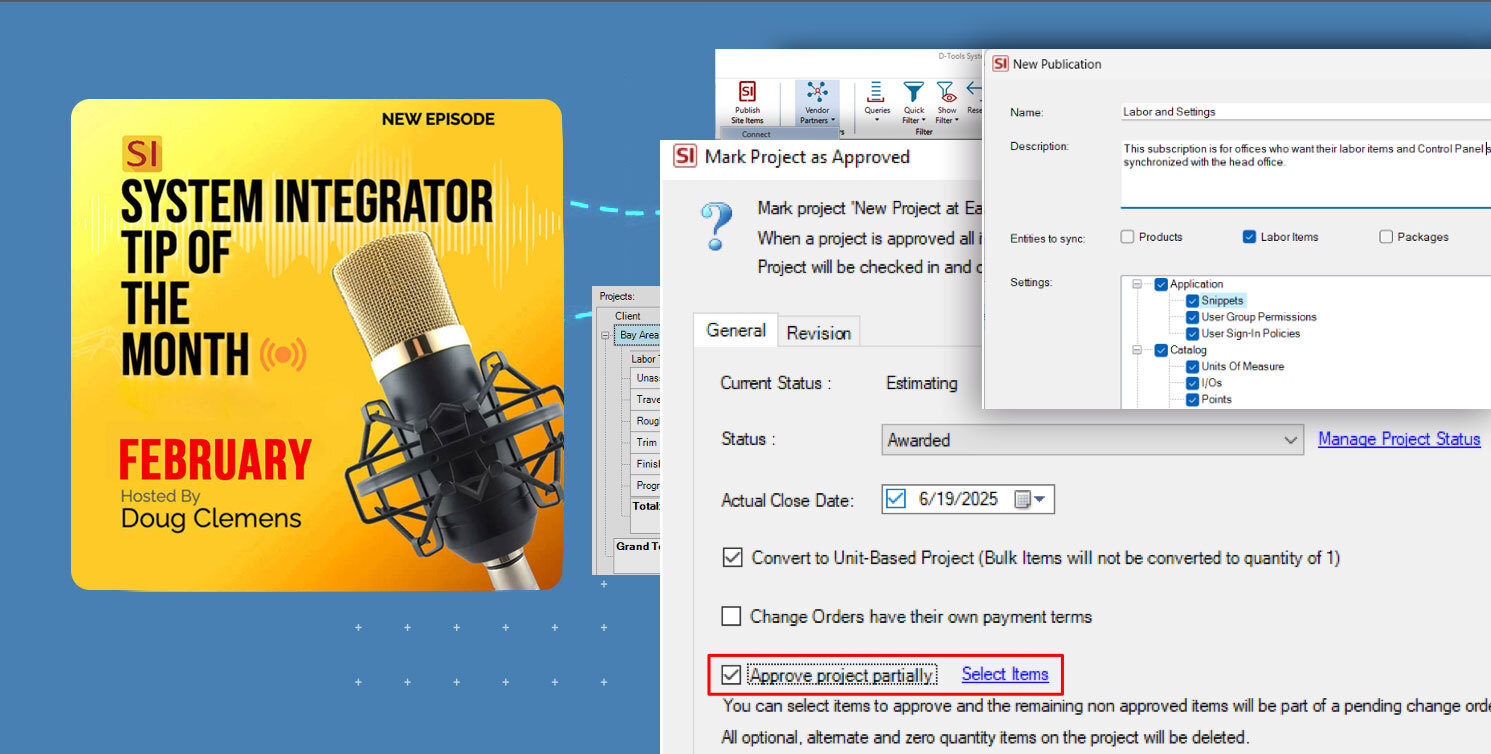
Another potentially revolutionary feature addition in v23 is the partial Project Approval. That’s right – it’s finally, it is live on the SI platform.
Since we introduced Project Approval in SI, users have requested partial project approvals, and our development team has delivered.
In order to use this feature, one simply needs to follow the path of regular, full Project Approval and select the new option on the resultant window:
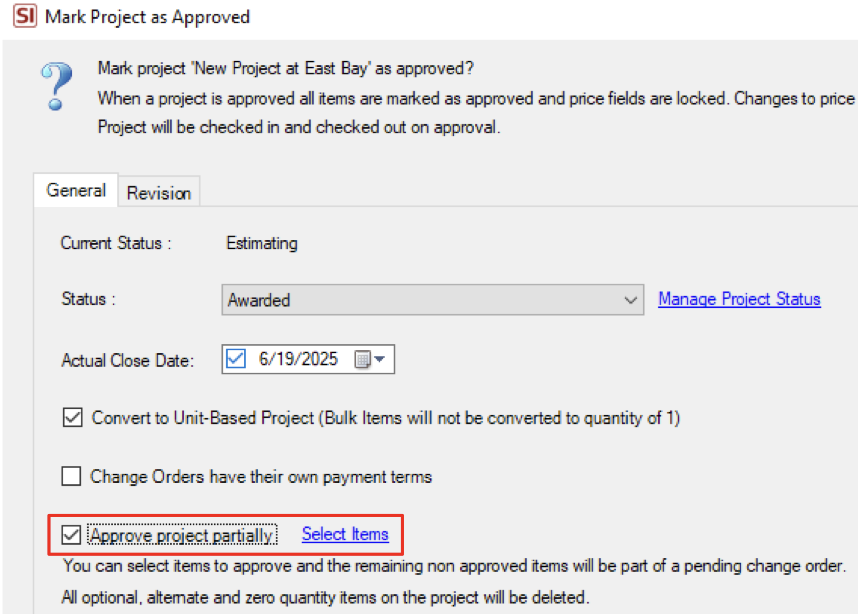
At the bottom of that screen, you will see the selection box to Approve Project Partially. From there, you then select the items that will be approved and the remaining bill of material items will then transfer as a Pending Change Order.

In this window, you'll have full access to all Layouts (including custom ones), so you can easily filter projects for approval by Location, System, Phase, and more.
Upon selection of your Approved items, a Pending Change Order will appear on the lower tab directory of your Project Explorer list:

This is a real breakthrough for a majority of our users. We hope you find it just as valuable.
Pricing updates from D-Tools Vendor Partners
This feature has been a game-changer for users who take advantage of it. Here's how it works: The D-Tools Vendor Partner program allows SI users to automatically sync their dealer pricing with Catalog items. You can set updates to run automatically or trigger them manually as needed.
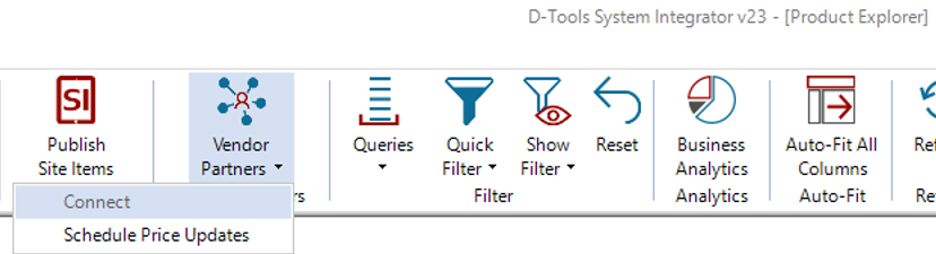
It is best to review this ever-expanding vendor list often to see if any of our new partners have become available to connect with for pricing.
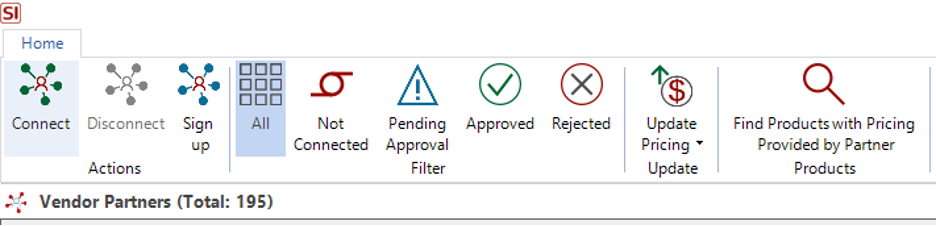
Currently, there are 195 vendors that have dealer pricing available for hundreds of different brands of equipment. For those of you who have not explored this functionality within SI, it is strongly recommended you do so – post haste.
Not only does this feature eliminate the need to constantly update pricing for the items your team specifies, but it also provides reassurance for high-volume dealers that their pricing will be the most accurate available as they generate their project quotes. A real game-changer for some as “automated” pricing updates are reliable and dependable in the SI platform.
Well there it is! A brief look into a few aspects of D-Tools SI v23 that can help our users get the most out of SI.
Nevertheless, as always, there is much more than just these features to keep in mind for your team’s usage, so please reach out to our account team for more information on all of the above and more!
Looking Ahead: SI V23 and beyond
The last few years have seen tremendous updates and enhancements to the System Integrator platform. With each successive development and addition, D-Tools has shown itself to be fully engaged in bringing to market one of the most effective software platforms available.
Further, the updates in v23 (and prior recent releases) reflect our commitment to addressing the real-world challenges faced by system integrators. In addition, what’s to come will not disappoint.
With that in mind, D-Tools System Integrator v23 is more than just a software update—it’s a strategic partner for AV integrators navigating a complex and hectic industry landscape. By combining robust multi-office settings with seamless data synchronization, v23, not only empowers businesses to operate with unprecedented efficiency, but also offers the flexibility most teams need to craft a custom software environment to suit their needs.
Are you ready to experience SI v23? Then visit the D-Tools’ website to request a demonstration of these features or explore the full range of utilization with our PSG training and implementation team. With V23, as your ally, your business will be poised for a brighter and more profitable future.
Be sure to tune back in here for future installments on SI’s v23 and beyond.
Our team is continually evaluating ways to improve and enhance your team’s usage of and experience with our SI platform. Therefore, it behooves you and your team to explore these (and other features) as well by securing time with our Professional Services Group of SI and integration industry veterans in order to maximize your team’s ability to succeed with the software.
In closing…
For more information on these and other features of SI, please see this link: D-Tools v23. You can also review our other videos and our usual support documentation.
You can also get more detailed information about v23 via our upcoming webinars and by enrolling in SI training with our PSG team.
And don’t forget, that’s why we are here…to ensure your success with our product! Be sure to check back here next time for more on v23!!!