
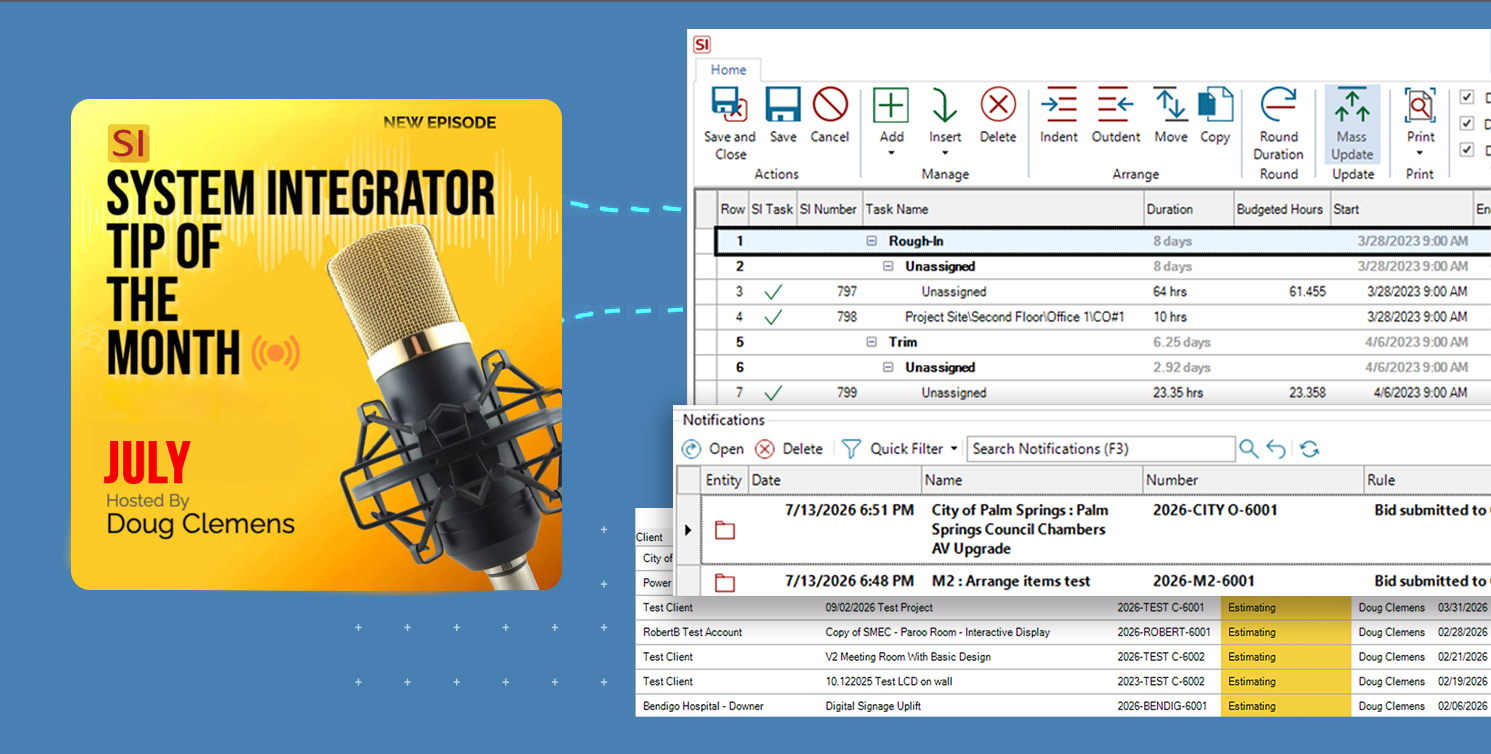
Nothing intensifies the heat of summer in our industry more than those annoying and unwanted project “deadlines”. Whether it’s a bid submission date or a project deployment deadline, these details can really increase the heat unnecessarily.
The good news is that SI has you covered! Whether it is those tight project deadlines, overlapping installs, supply chain snags, or unwanted surprises (all of which are enough to make any project manager sweat), SI has an appropriate arsenal of tools to get things cooled off for you. Be it sales, project management, procurement, or deployment, SI has all you need to head off the summer heat that isn’t just outside.
For those of you who are ready to “get with the program” and upgrade your prior version of SI, please reach out to our Customer Success team. Moreover, for those of you who are still considering the acquisition of D-Tools SI software, please reach out to our Account Management team.
Sales – How to lower the heat index with SI
With sales, the intensity is likely always there, thus making the temperature on the process “hot” by its very nature. But that’s where SI has some tools to consider for creating relief from the heat.
For those that use SI as a “sales CRM”, the designation of Project Status can be a huge asset in for a sales management team to monitor the progress of bid assembly, submission to a client, negotiation, and that oh so coveted “bid accepted”.
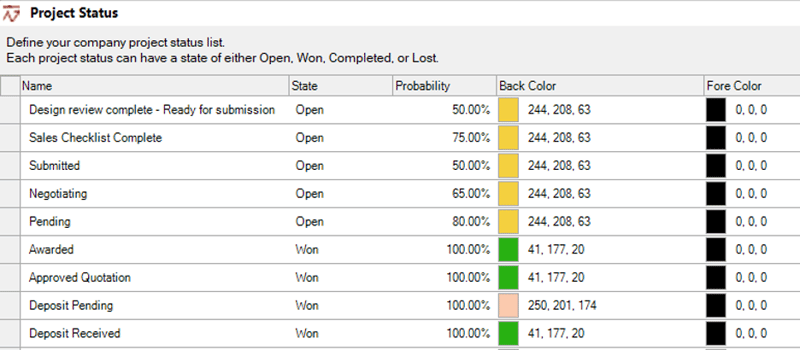
Not only can these designations be easily seen from the Project Explorer, but they are also eligible to be displayed in SI’s Business Analytics, where users can quickly gain insight into the exact status or update to any bid’s progress in the sales pipeline.
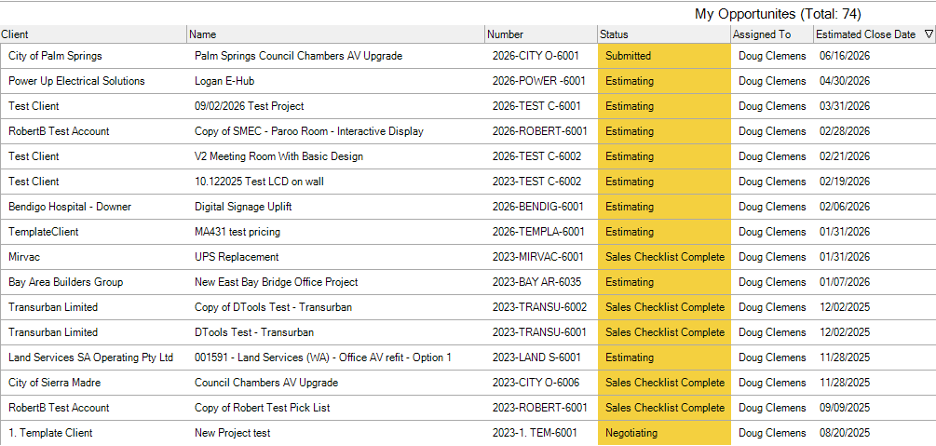
Further, these Project Status designations are also a part of SI’s Workflow Rule notifications that can keep key team players in the loop as bids progress from leads to won jobs!

Another useful aspect of SI’s data set that can enable sales to reduce the temperature on “hot leads” is the various date fields available at the Project level.
Two of these are quite obvious. Those of “estimated close date” and “actual close date” serve very useful purposes.
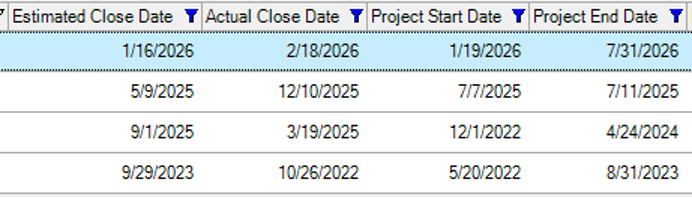 However, what users sometimes overlook are the Project’s Custom Date Fields, which are available to be used for sales-related deadlines.
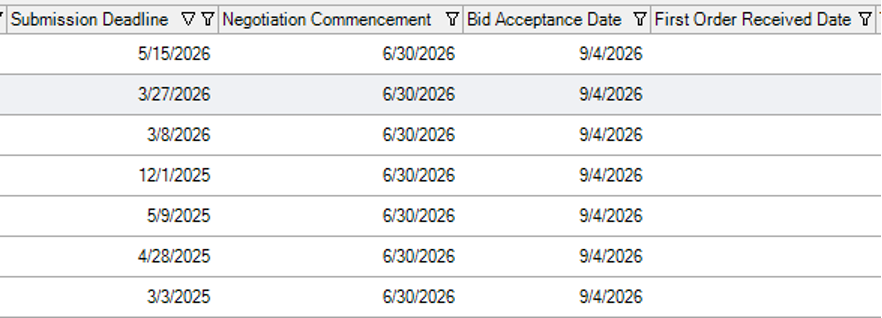
Perhaps something like “Submission Deadline” or “Bid Acceptance Date” could provide much-needed insight for other team members to understand how a bid is progressing through sales stages. Another interesting use of the Project Custom Date Fields could be to designate the start of negotiations with a designation such as “Negotiation Commencement”. Such subtle data points can provide just the update your other team members are seeking with regard to your pending sale!
Procurement – Keeping things cool on the order side
Another great use of SI to maintain a desirable temperature is related to the Procurement data fields for both PO’s and the Project.

These dates related to PO issuance can be a part of both SI's Workflow Rules and SI's Business Analytics. Both are great for non-procurement team members who may not have access to purchasing but need the updates all the same.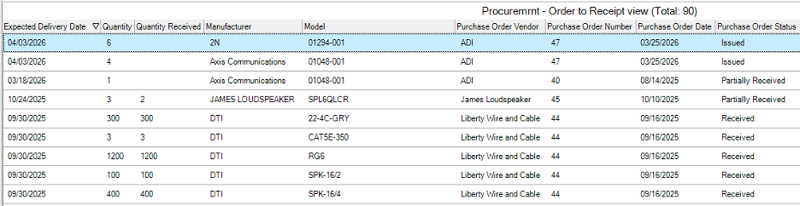
Now, within an SI Project, we have some interesting date fields for consideration as well. “Order Date”, “Expected Delivery Date”, and “Receive Date”.
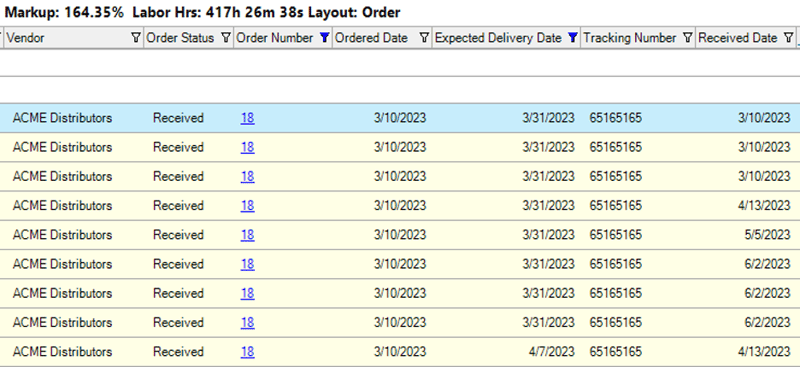 While only available at the Project level, these date fields can still provide key insight for Project Managers related to the deployment availability of project items. For those without access to SI Projects who need this data as well, these data fields can either be directly exported to Excel or rounded up in a “custom” report.
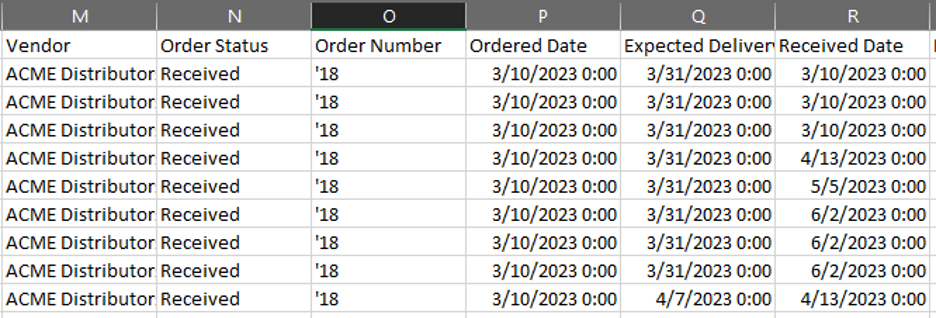
Both of which can easily be attached to the SI Project folder, preventing the need to open and “check out” an SI Project in order to get PO date-related information.
Project Management and Deployment – maintaining a desired climate
As we on the PM side all know, it doesn’t take much to turn up the heat. Perhaps the best way to ensure temperatures don’t soar out of control is to plan ahead. Use of SI’s Gantt View can contribute mightily to this effort. 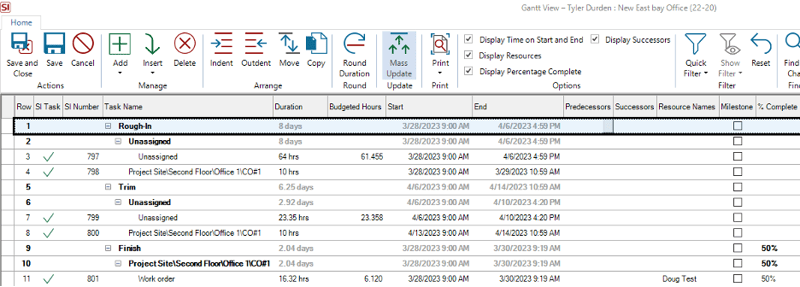
SI’s Gantt View offers repeatable deployment models based on “Phase” that can corral all of a Project’s labor hours in one view. With the added use of Milestones, Predecessors, and Successors, PM’s can stay several steps ahead of the game to ensure all remains cool.
Further, with SI’s Gantt View, PM’s can create all of a Project’s deployment Tasks at one time thus saving unnecessary effort down the road.
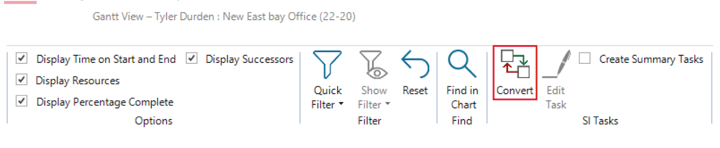 These Tasks can then remain visible only on the SI side until the appropriate time to “Publish” them for the field techs.
With this in mind, another great utilization of such related events can be found in SI’s Calendar.
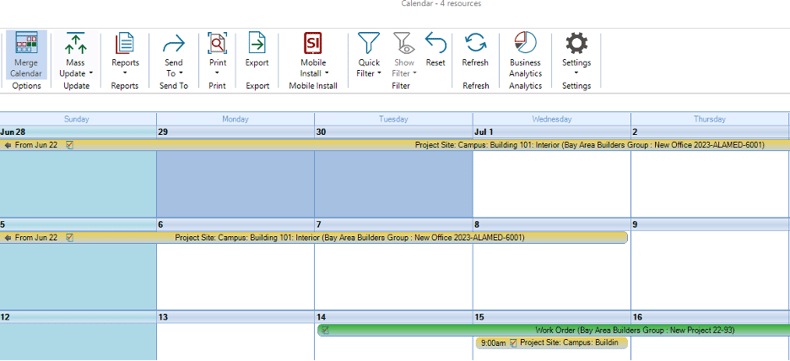 Whether it’s simply to view what is scheduled or to see what dates are available, SI users can ultimately head-off any unwanted temperature increases on Project deadlines by staying in the know with the data that is available there.
Another interesting aspect of this utilization is to create meaningful “User Categories” for your team.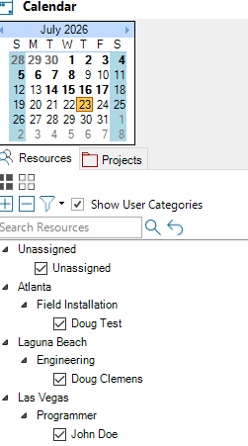
Whether they are based on office locations, job titles, or other designations, this unique application can provide necessary insight into who is assigned to what “category” in order to then filter this designation to isolate Tasks and Service Orders on the Calendar.
Yet another way to keep things on the deployment side at a tolerable simmer.
Tasks and Mobile Install
Perhaps nothing can provide the required relief on “hot” projects that data from the field can. As we covered extensively last month (and on prior entries), the site data collected by your techs in the Mobile Install platform and the subsequent updates to your SI Project deployment Tasks can do exactly that.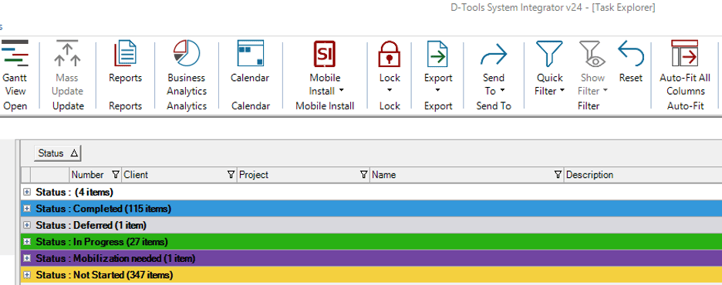
Whether it’s confirmation that the Task has commenced or has been updated throughout the day, these field data sets can deliver timely details to keep the temperature calm on the job site, PM side, and for the client’s perspective.
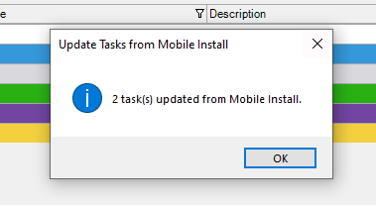 On top of emails, Workflow Notifications, and data entries, most of the data collected by your field techs at the project site on Mobile Install can be directly added to your SI Project. This includes such designations as “Install Date”, IP Address, serial number, and even “Site Images”.

All of this gives you the ability to “through some ice” on the unnecessarily “hot” field items.
Now, there is so much more we could dive into here but, suffice it to say, we “doused the flames” of those hot summer flash points! We do however, encourage you and your team to get more detailed information about all of these and other features of SI’s v24 by reaching out to our PSG team (Professional Services Group) of SI and integration industry veterans for further assistance. If you’d like to get a head start, you can review our new Product Release Notes for v24!
Well, there it is! A brief look into a few newer aspects of D-Tools SI v24 and its tools to “beat the heat”.
Looking Ahead: SI V24 and beyond
The last few years have seen tremendous updates and enhancements to the System Integrator platform. With each successive development and addition, d-Tools has shown itself to be fully engaged in bringing to market one of the most effective software platforms available.
Further, the updates coming in future releases reflect our commitment to addressing the real-world challenges faced by system integrators. In addition, what’s to come will not disappoint.
Ready to see more? Request a demo or connect with our PSG training and implementation team. SI is built to help your business run better — and we’re here to help you get the most out of it.
Check back for more on SI v24 and what’s coming next.
In closing…
Need hands-on help? Our Professional Services Group of SI and integration industry veterans is available here.
For more on SI v24, visit our website: D-Tools v24.
You can also find helpful videos on our YouTube channel and in our online support documentation.
For training, check out our upcoming Gold Support Webinars or enroll in SI training through our PSG team.
As always, we’re here to make sure you succeed with the platform. Check back for more on System Integrator software.