
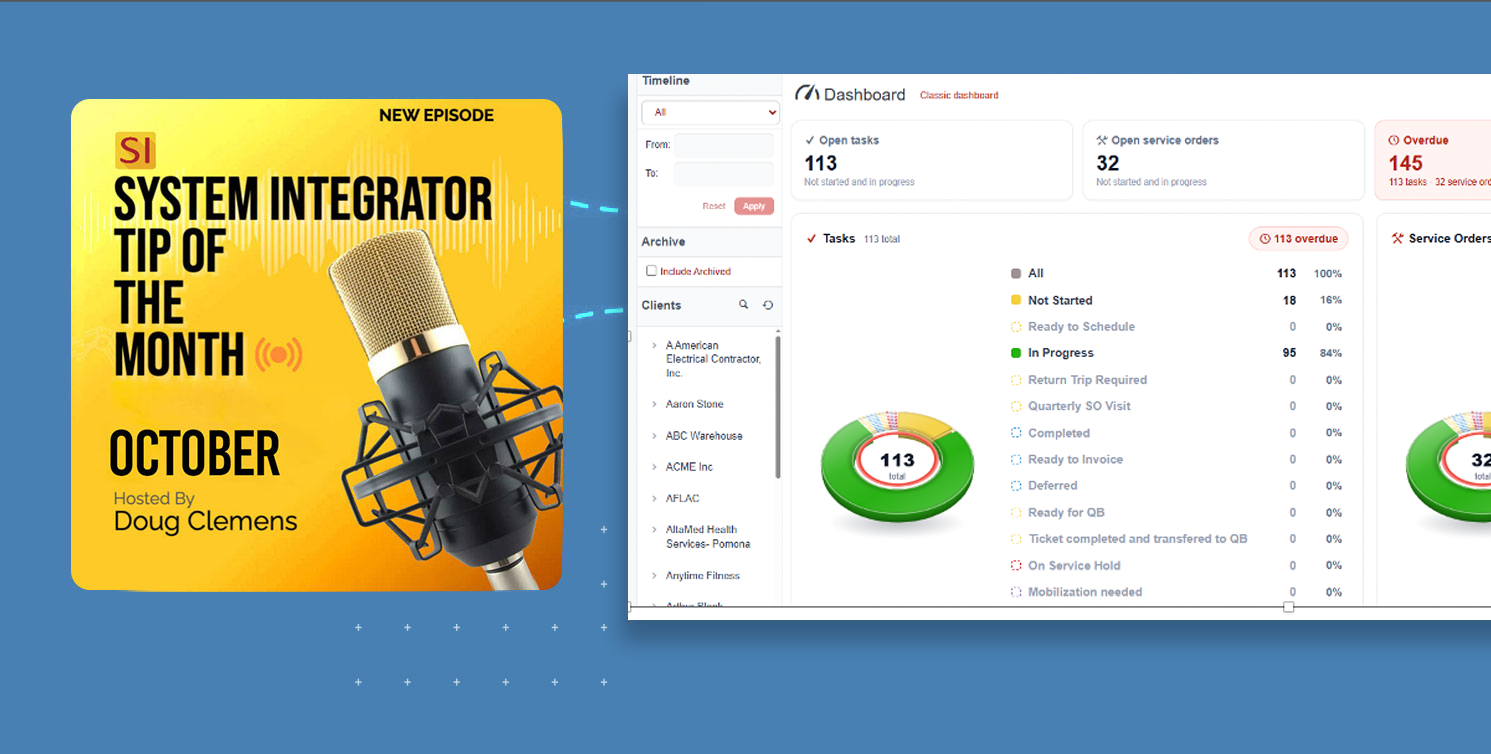
As the calendar again turns to the Halloween season, many integrators shudder when they realize their looming deadlines are approaching. Whether this fear is irrational or not, charting out a path to routinely assuage such concerns is made easier with D-Tools System Integrator software.
Be it the creeping dread of forthcoming deadlines or the past specter of deadlines missed, many integrators find relief by utilizing the features of SI in order to face such challenges. The fear of something critical slipping through the “cracks” may keep many an integrator up all night long. While other aspects of our daily industry affairs can be more frightening than any scary costume, planning and organization with a software partner like SI will definitely ease the fear and concerns of such seasonal angst.
For those of you who are ready to “get with the program” and upgrade your prior version of SI, please reach out to our Customer Success team. Moreover, for those of you who are still considering the acquisition of D-Tools SI software, please reach out to our Account Management team.
For today’s entry, we’ll focus on (3) areas of SI that help to ease anxiety and relieve unwarranted fears.
#1. Mapping the Haunted Timeline with the Gantt View.
Over the years, many of us have had the common fear of approaching deadlines related to aspects of project deployment. Nothing in SI makes this easier than the utilization of SI’s Gantt View.
The SI Gantt View now creates a single place in the software where users can access any and all appropriate data related to timelines, in-house or field “Tasks”, Project “Checklists”, Milestones, Predecessors, and Resource allocation.
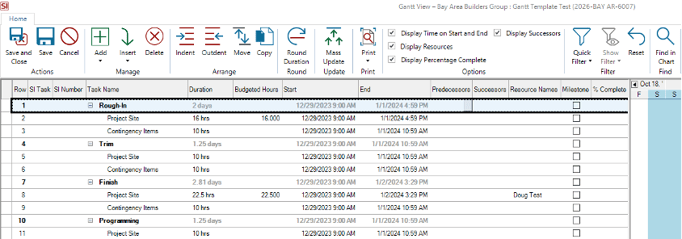
One of the most common fears related to deadlines and deployment dates is the lack of “visibility”. With SI’s Gantt View, users are exposed to multiple data points in order to see how they all fit together before any deadline is missed. The SI Gantt View then becomes a clear and interactive presentation of the Project’s details.
The overriding benefit to this for SI users is that the majority of details for the Gantt View can be sourced directly from the SI Project. This includes phases, locations, systems, and budgeted labor time details. Milestones, predecessors, and date assignment via the Calendar can then be made in the Gantt View once the Project values are imported.
Once the desired executables are present in the Gantt View, SI users can then determine which ones to convert to actual SI Tasks. These can then be published to Mobile Install for field technicians. As these published events are updated, SI users can see percentage completion values in the Gantt View in real-time.
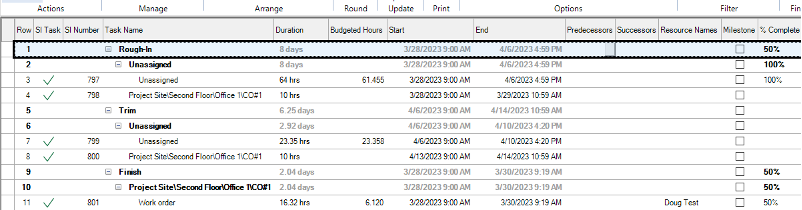
All of this then contributes to keeping SI users out of the dark when it comes to concerns about deadlines, scheduled events, and the project’s ultimate completion.
And for those who use Microsoft Project, a recent enhancement to this mechanism in SI now includes such a corresponding export. For users of both platforms, information related to project timelines and deployment execution dates can be shared with trade partners such as architects and general contractors. This then gives necessary visibility to those without SI access.
#2. Exorcising Bottlenecks and Roadblocks with Multi-User Project Editing.
One of the most common nightmares integrators face is the dreaded waiting game. With the use of SI’s multi-user mode for projects, such frustration is eliminated as more than one user can now access and modify the same SI Project.
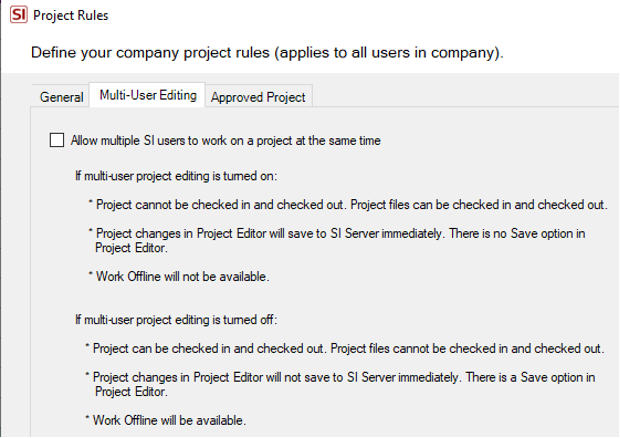 In the past, SI users were at the mercy of projects being held hostage by a single SI user. As such, other users were then blocked from making their project updates until the project file was checked back in to the SI Server. Once “multi-user” mode is enabled, this now becomes a thing of Halloween’s past.
This means that team members across your organization can now work on the Project at the same time. Sales, design, engineering, procurement, and project management can now all collaborate at the exact same time in the same SI Project.
This includes live, real-time changes, modifications, and enhancements as each of these is then updated to the SI Server upon saving the SI Project. Ultimately, this results in a shorter path to bid completion and an end to lost hours waiting for colleagues to finish up their work and check the project back in to the SI Server.
This type of terror-free collaboration and parallel work effort keeps multiple users “in the game” so that they can contribute in a timely fashion without the dread of delay.
#3. Banishing the Ghost of unknowns with Workflow Rules and Mobile Install
Perhaps for many integrators, the greatest fear is not knowing. Whether that is related to the pipeline, procurement, deployment, or post-installation service agreements, many in our industry live at the mercy of reactionary awareness as various details of their projects unfold.
When teams develop and leverage SI’s Workflow Rules, knowledge of such activity becomes ever-present. No more worrying about whether you’re seeing the latest numbers. Updated data from SI now arrives straight to your inbox. Such updates can come from SI Projects, PO’s, Tasks, Service Orders, as well as SI’s Service Plans. These alerts are also available in the SI Project Explorer: 
Long gone will be the days of being fearful of arriving to the office being unaware of events that have unfolded since you last viewed SI. And with the extensive list of Criteria available, SI users have a multitude of options to select from when dialing in the exact structure of these notifications so that they are as timely, efficient, and effective as possible.
Most successful users of these Workflow Rules also closely tie their behavior to aspects of SI’s Mobile Install. Be it on the original web-based version or the new iOS app, details from the platform can trigger alerts as work progresses or is stalled in the field.
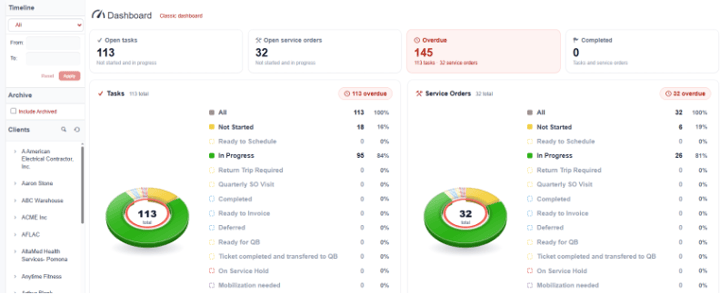 Such recognition can be the difference in delivering those much-sought-after updates to either your internal teammates or the client themselves.
When used in conjunction, both of these SI features notify the right people at the right time, ultimately leading to realized milestones or other achievement markers. Seamless flow of these data points back to the office from Mobile Install can then contribute to SI users making corresponding designations on their side that then trigger Workflow Rules. A nice circle of events that leads to all involved garnering a sense of relief when it is most needed rather than awaiting those end-of-day reports or phone calls from the field.
And despite the season, unexpected results and surprises are far less likely to creep up on you and provide a terrible fright!
Well there it is! A look into a few aspects of D-Tools SI v24 that can help our users overcome the scary seasonal situations.
Nevertheless, as always, there is much more than just these features to keep in mind for your team’s usage, so please reach out to our account team for more information on all of the above and more!
Looking Ahead: SI V24 and beyond
The last few years have seen tremendous updates and enhancements to the System Integrator platform. With each successive development and addition, D-Tools has shown itself to be fully engaged in bringing to market one of the most effective software platforms available.
Further, the updates coming in future releases reflect our commitment to addressing the real-world challenges faced by system integrators. In addition, what’s to come will not disappoint.
Ready to see more? Request a demo or connect with our PSG training and implementation team. SI is built to help your business run better — and we’re here to help you get the most out of it.
Check back for more on SI v24 and what’s coming next.
In closing…
Need hands-on help? Our Professional Services Group of SI and integration industry veterans is available here.
For more on SI v24, visit our website: D-Tools v24.
You can also find helpful videos on our YouTube channel and in our online support documentation.
For training, check out our upcoming Gold Support Webinars or enroll in SI training through our PSG team.
As always, we’re here to make sure you succeed with the platform. Check back for more on System Integrator software.