
Most integrators already know D-Tools Cloud as the place where quotes, designs and projects live. What fewer people have tried yet is asking it a question directly.
The newly released ‘Ask D-Tools’ feature is an AI assistant built into D-Tools Cloud, and it works the way you'd want a sharp office manager to work. You can pose a question in natural language, and it hands back a table you can click into, a chart, or a straight answer. Plus, it will offer how-to help on using D-Tools Cloud software itself, sourced from real Help Center articles rather than a guess.
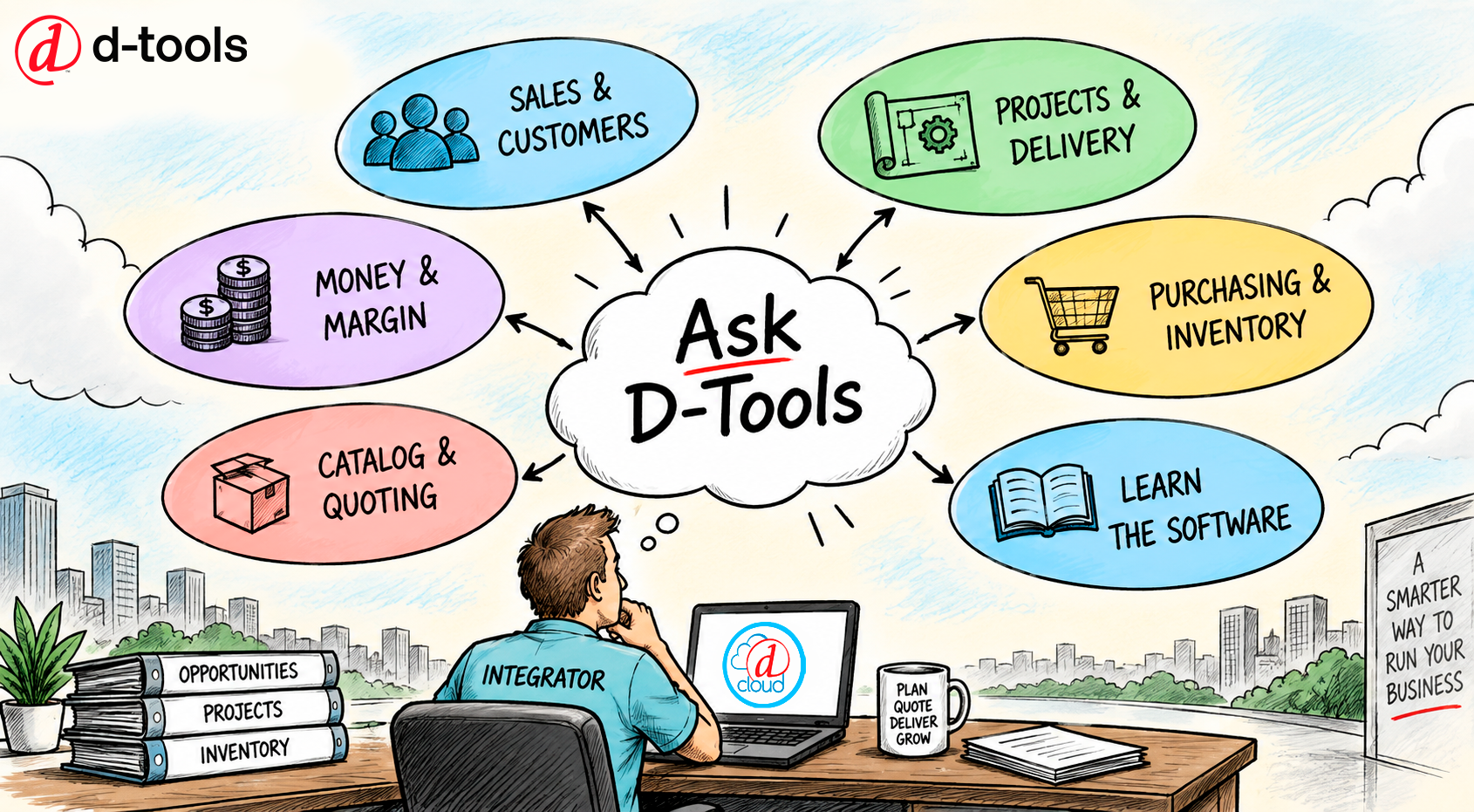
It's easy to underestimate what that means until you've used it. Ask D-Tools isn't a narrow quoting shortcut. It's a way to interrogate your entire business, including sales, projects, money, purchasing, and your catalog, without opening a single report builder. And because every answer is scoped to your own company and your existing permissions, if you can't see cost or margin in D-Tools Cloud today, you won't see it in an answer either.
Ask D-Tools is read-only, meaning it only reads your data to formulate its answers. It does not edit or delete any data or information.
Below are 20 real questions to try. Sign in, open Ask D-Tools, and start typing.
Sales and Customers
1. “Which opportunities are closing this month?”
This is the single most-asked sales question, and now it doesn't take building a report to answer it. Ask it, and you get a ranked list of opportunities closing this month, complete with owner, value, stage and close date. You can click any row to open the record.
2. “How did we close last quarter compared to the quarter before?”
You can get a period-over-period comparison with no spreadsheet work, including totals for both quarters side by side, plus a chart. It enables you to see the trend at a glance instead of reconstructing it from memory.
3. “Which deals have gone quiet?”
This query surfaces the deals a busy salesperson has stopped touching… those are often the ones that quietly die if nobody notices. You will get a list of your stalled opportunities with last-activity context and the owner attached.
4. “Give me the full picture on [customer name].”
This single question gives you a comprehensive look at a client’s status. Ask it and you get account health, open sales activity , active work, service load, outstanding balance and the recommended next action.
5. “Which customers need follow-up right now and why?”
The “why” is what makes this useful instead of just another list. Ask D-Tools returns ranked accounts along with the top signal driving each one's ranking, so you know what to say when you pick up the phone.
Projects and Delivery
6. “Which projects are at risk right now?”
This is the flagship question. It weighs overdue tasks, late purchase orders, missing ETAs, shortages and open change orders together, then returns ranked projects with a risk level, the top blocker, and a recommended next action. This is a good question for a project manager to query.
7. “What's overdue this week, and who owns it?”
This question can help you focus the Monday-morning scramble. The response will provide you with a list of overdue tasks organized by due date, status and owner, ready to hand out before the stand-up even starts.
8. “Which jobs finished over budget on cost or labor?”
Estimating accuracy is a chronic pain point for integrators, and this question speaks straight to it. It returns completed projects with their cost and labor overruns, so the pattern becomes visible.
9. “How many hours have we logged on [project], and how much wasn't billable?”
This question will expose any labor leakage that might be taking place. You get time entries broken out by billable versus non-billable hours and overtime, which is usually the fastest way to spot where a project's margin went.
Money and Margin
10. “Where are we losing margin?”
This finds the negative and low-margin items sitting across your quotes and projects. You get ranked items with cost, price, margin dollars and margin percent, so you can fix the worst offenders first.
11. “What's outstanding, and which customers are furthest behind?”
This question will provide you with immediate insight into your receivables. Ask D-Tools can show your open payment requests and invoices with balances and aging.
12. “What's our recurring service contract revenue, and is it trending up?”
Recurring revenue is the growth story most dealers are trying to build, and this question gives you the status of this all-important line item, including showing your monthly recurring revenue with a trend chart.
Purchasing and Inventory
13. “What's ready to order right now?”
This question instantly answers your daily purchasing task, giving you the products your procurement person can order grouped by project and supplier. It replaces having to hunt across your open orders one at a time.
14. “Which purchase orders are late or missing an Estimated Time of Arrival?”
Missing ETAs can be a silent schedule killer on jobs. This question surfaces the POs that need supplier follow-up, along with their dates and open value, before they turn into a delay in installation.
15. “What could hold up the installs coming up in the next 30 days?”
This question helps you look forward instead of backward. It's less a report and more an early warning system. Ask D-Tools will provide you with ranked at-risk items by supplier, ETA, shortage and need date.
16. “What stock am I short on for scheduled work?”
A stock report alone can't tell you this, because it doesn't know what's actually committed. This connects inventory directly to scheduled work, returning shortages against project demand along with the dates you need the stock by.
Catalog and Quoting
17. “What have we quoted most in the last 90 days?”
Having this exact information easily at your fingertips feeds buying decisions, supplier conversations and pricing reviews. You get recently quoted products with sales, pricing and supplier context attached.
18. “Which catalog products are missing a supplier or cost?”
Keeping your data hygiene up to date directly protects margin and ordering accuracy. This question helps you surface the catalog gaps worth cleaning up before your next quote goes out, rather than after it causes a problem.
Learning the Software
19. “How do I set up a payment schedule?”
Ask D-Tools helps you with the software itself without you having to create a support ticket, make a phone call or search the D-Tools website. You get a step-by-step answer with links to the Help Center articles it drew from.
20. “What's the difference between a change order and a new quote?”
This is a genuine “which one do I use?” question that new users of D-Tools Cloud ask constantly. Ask it, and you get an explanation with sources, so the answer sticks the next time the situation comes up.
Try It Yourself
None of the 20 questions above require a report to be built, a filter to be configured, or a ticket to be filed. You just ask them. That's really the point of Ask D-Tools. The answers you need to run an integration business are already sitting in D-Tools Cloud, and now you can get to them in natural language, on your own schedule, without waiting on someone.
Access is enabled per user, so if you open D-Tools Cloud and don't see the Ask D-Tools icon yet, ask your account admin to turn it on for you under Settings. Once it's on, start with whichever question above matters most to your role this week and see what it feels like to get a straight answer on the first try.
