
As we eagerly await the release of v24 — which may already be live by the time you read this —it’s worth revisiting aspects of SI that keep teams ready for future progress and success within our platform.
While best practices can vary from team to team, there are core aspects of SI that consistently drive strong results. Here's a look at the features and workflows that will serve you well now, and carry you confidently into v24.
For those of you who are ready to “get with the program” and upgrade your prior version of SI, please reach out to our Customer Success team. Moreover, for those of you who are still considering the acquisition of D-Tools SI software, please reach out to our Account Management team.
Business Analytics (Dashboards)
When it comes to data-driven insights, Business Analytics is one of SI’s most powerful tools.
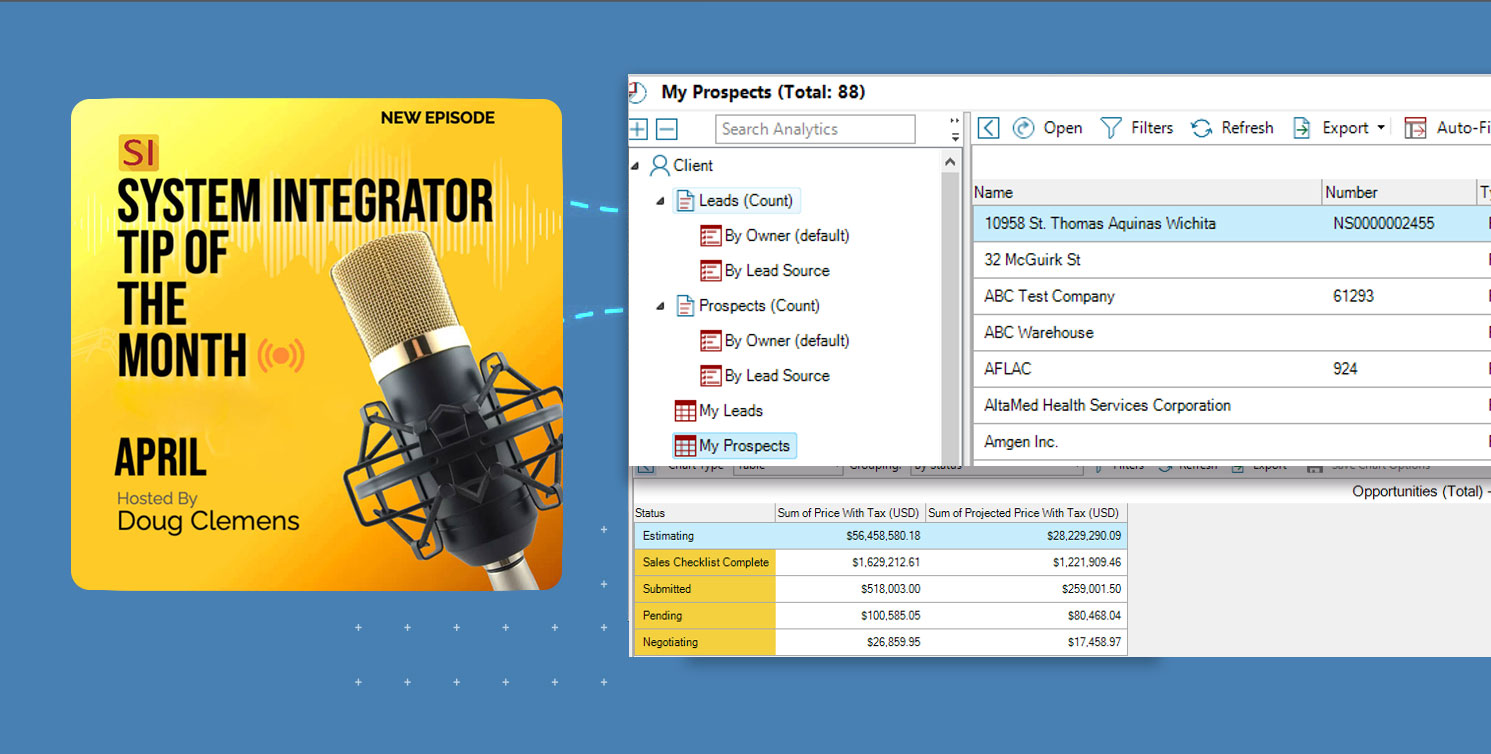
With it properly configured, you can access critical information — leads, projects, POs, tasks, and service orders — in seconds rather than minutes.
Whether you pin your dashboards to the SI home page or pull them up as needed, a well-structured setup delivers the right data at the right time.
For the consideration of high-priority data, the area of sales creates a tremendous opportunity for estimators in SI to stay on top of their leads and bids from inception to completion. But where to start, you might ask…
Well first, open the Business Analytics module within SI.

From there, identify the source of the analytics you wish to create: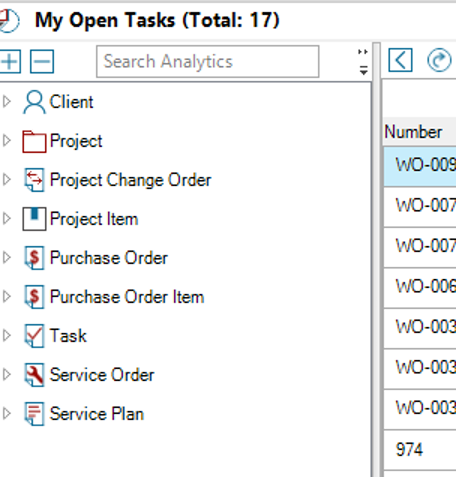
Client will allow access to your leads and prospects.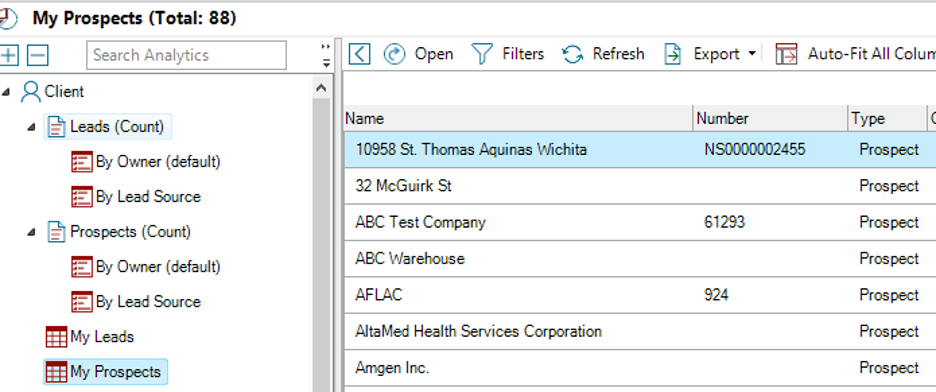
Based on your chosen filters, you may see incredibly relevant, real-time data related to the active leads and prospects you or your team are currently working.
Once your bid is an active Project in SI, you can then use the Projects section to review related data there: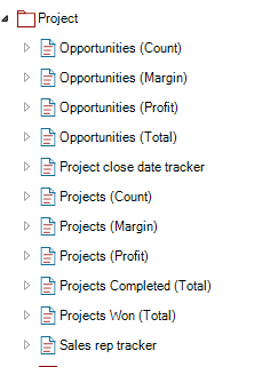 Perhaps you’re curious about your overall bid margin on jobs that are not yet closed.
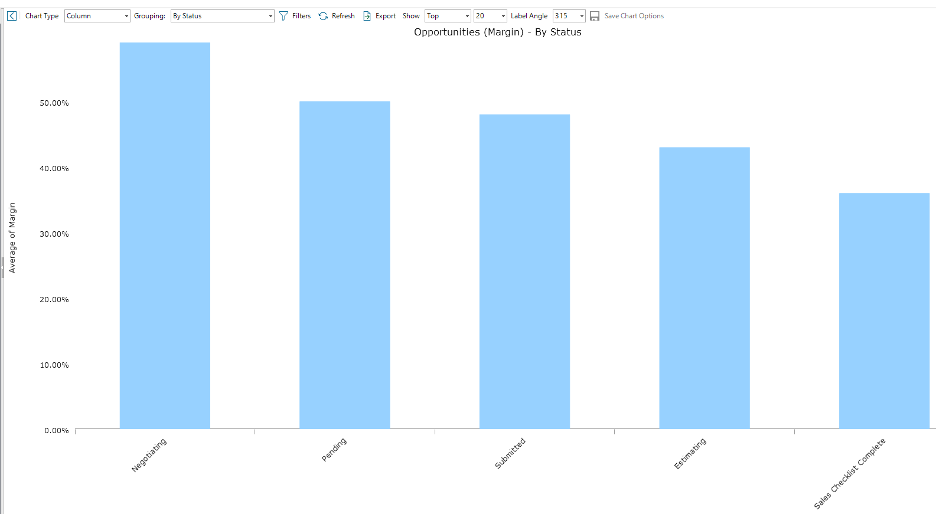 A finely crafted analytics dashboard can yield such data accordingly in a column, bar, pie, or table display: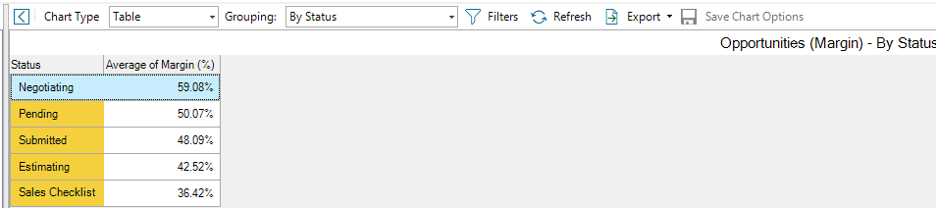
The great thing about any of this data is that it can very easily be exported to Excel for further for additional analysis. This can be extremely helpful when reviewing values such as potential sales totals and/or profits:

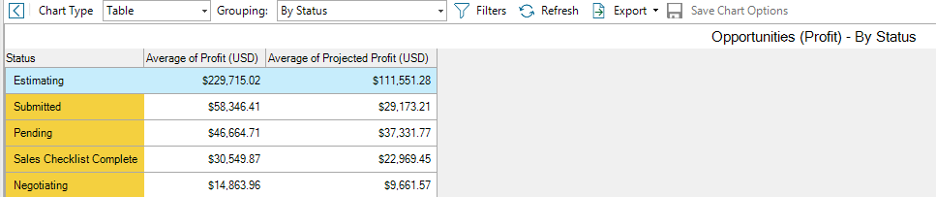 With SI’s Business Analytics fully built out, you and your team can gain insight into data, client activity, Project bids, procurement, deployment, and service.
All in all, this Business Analytics mechanism can give our users the data they need, when they need it.
Notifications via workflow rules
Speaking of getting data quickly, nothing delivers this in SI as the Workflow Rule notifications do. 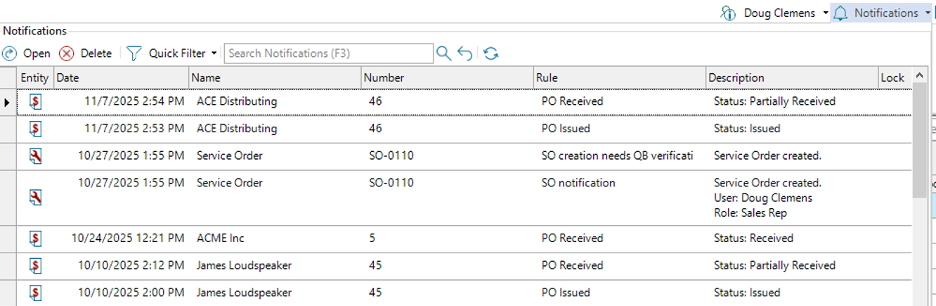
These in-app presentations offer a lot of information at a quick glance, but the email version is where even better details can be found that contribute to keeping all team members aligned.
Using the Insert Field function, your team can pull specific project or event details directly into the notification, ensuring recipients get the context they need without extra back-and-forth.
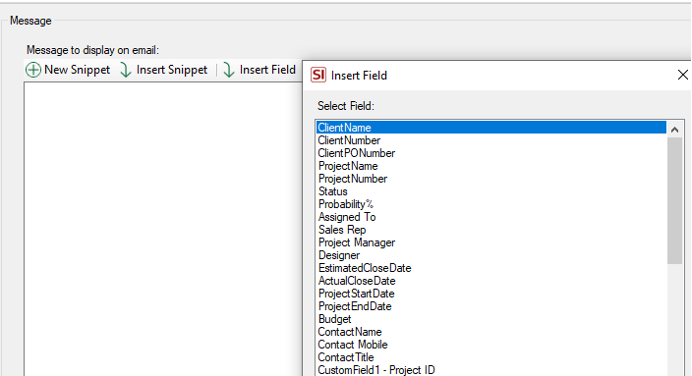 Project custom fields are available here, along with a range of other data points that can be pulled into the notification. This gives your team the context they need — what just happened in SI and what action may be required next.
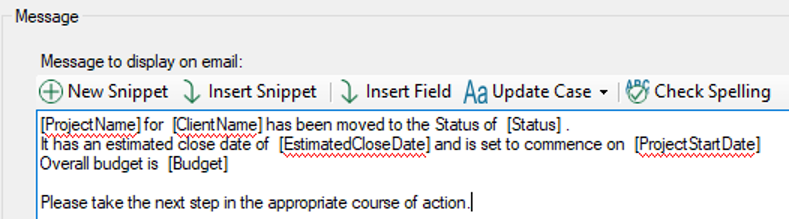 Workflow Rule notifications are available for projects, purchase orders, tasks, service orders, and service plans. Each have their own criteria, and data sets respective to their application within SI.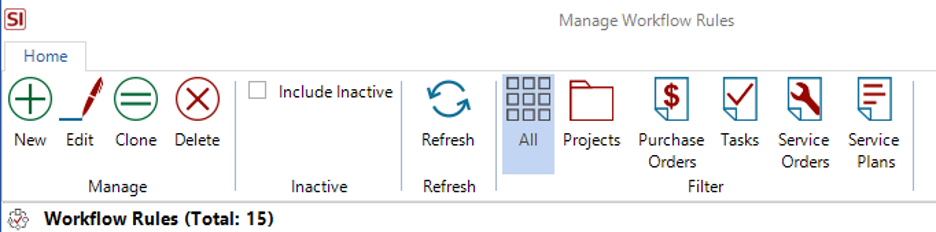
We strongly recommend you indulge yourself in the use of this mechanism so that SI can deliver essential data at critical junctures of your team’s efforts.
Time sheets - tracking your team's efforts
In the grand scheme of today’s modern age nothing is more important than time. With that in mind, no project’s data can be truly complete without the inclusion of time incurred by your office team and field techs as they bring the project to life.
While still a relatively new feature, SI’s Time Sheets enable teams to record time incurred by their staff working on any aspect of a project. Time Sheets can be used solely for recording work effort while on project tasks or they can be used to record all time incurred every day for any aspect of work for the company. 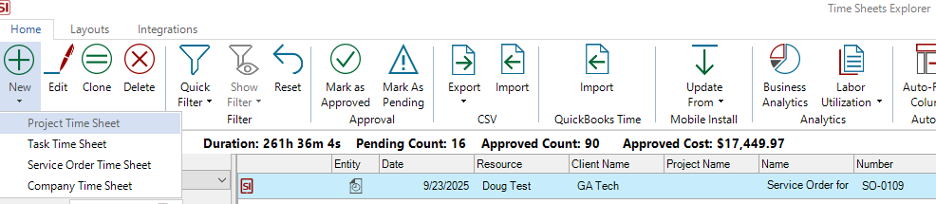
Any time recorded from project tasks that have been approved will then apply against the project’s estimated labor to produce the actual labor that is seen in the Job Cost Report.
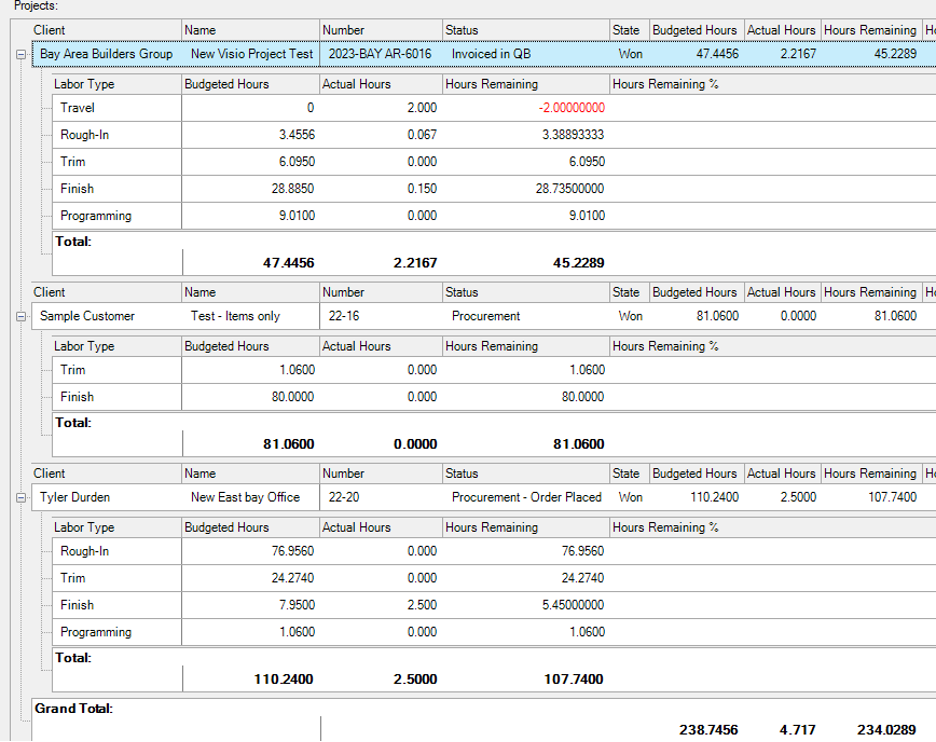 As I’ve mentioned many times, this is highly critical for a complete understanding of how your labor budgets make or break your overall effort. Perhaps nothing is as important as your time.
When fully utilized, all of these aforementioned tools will have your team successfully prepared for our new release of v24 when it launches later this month.
Well there it is! A brief look into a few aspects of the world of D-Tools SI v23. As always, there is much more than just these features to keep in mind for your team’s usage, so please reach out to our account team for more information on all of the above and more!
Looking Ahead: SI V23 and beyond
The last few years have seen tremendous updates and enhancements to the System Integrator platform. With each successive development and addition, D-Tools has shown itself to be fully engaged in bringing to market one of the most effective software platforms available.
Further, the updates in v24 (and prior recent releases) reflect our commitment to addressing the real-world challenges faced by system integrators. In addition, what’s to come will not disappoint.
With that in mind, D-Tools System Integrator v23 is more than just a software update—it’s a strategic partner for AV integrators navigating a complex and hectic industry landscape. By combining robust multi-office settings with seamless data synchronization, v23, not only empowers businesses to operate with unprecedented efficiency, but also offers the flexibility most teams need to craft a custom software environment to suit their needs.
Are you ready to experience SI v23? Then visit the D-Tools’ website to request a demonstration of these features or explore the full range of utilization with our PSG training and implementation team. With V23, as your ally, your business will be poised for a brighter and more profitable future.
Be sure to tune back in here for future installments on SI’s v23 and beyond.
Our team is continually evaluating ways to improve and enhance your team’s usage of and experience with our SI platform. Therefore, it behooves you and your team to explore these (and other features) as well by securing time with our Professional Services Group of SI and integration industry veterans in order to maximize your team’s ability to succeed with the software.
In closing…
For more information on these and other features of SI, please see this link: D-Tools v23. You can also review our other videos and our usual support documentation.
You can also get more detailed information about v23 via our upcoming webinars and by enrolling in SI training with our PSG team.
And don’t forget, that’s why we are here…to ensure your success with our product! Be sure to check back here next time for more on v23!!!