
Introducing Inventory Asset Management, the latest feature in D-Tools Cloud. This powerful new feature set revolutionizes how you track and manage your inventory. Moving from count‑based stock management to true per‑unit asset tracking.
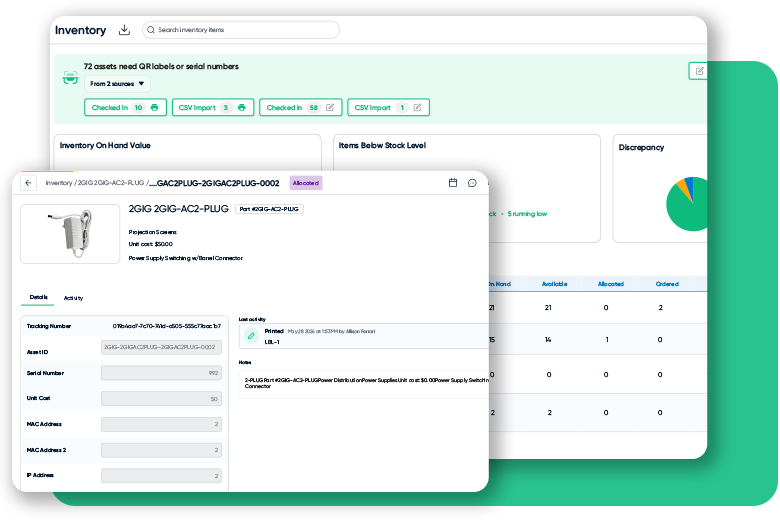
With Inventory Asset Management you can click into individual asset records to view precise tracking data and real-time status updates for each item.
Every item will be assigned a tracking id and asset number. You also have the flexibility to add serial numbers, mac addresses, and more.
When you click Allocate to project, you can instantly assign assets to specific locations, keeping your site logistics organized.
The status updates immediately to Allocated, ensuring your team always knows exactly where every asset is currently deployed.
Check the activity tab to maintain a complete audit trail, then head back to your main asset list.
You can review your full asset list on the Inventory Dashboard as well as important information related to each inventory tracked item. You can also click on the purchase order button to see exactly how these items were originally acquired.
In this case, the PO confirms that all received products are checked into inventory, keeping your records accurate and fully up to date.
Returning to the dashboard, you can quickly identify items running low to prevent any potential project delays or shortages.
When you see an item that requires attention, simply click the create button to start a new order. Choose to create a new purchase order or add to an existing one, giving you total control over your procurement.
Your new purchase order is generated instantly, providing a clear record of your request and keeping your documentation organized.
Once your items arrive, mark the order as received and click check in to begin adding these new assets to inventory.
The check in process is designed for speed and accuracy. By logging each unique serial number, you maintain perfect visibility over your stock.
Simply enter the serial numbers or use a barcode scanner on your new equipment as they arrive.
This ensures that every asset is accounted for from the moment it enters your warehouse. Select your warehouse location and click check in to finalize the process.
With your inventory updated, you can immediately print QR labels for your assets. This makes future tracking and scanning fast and simple.
Simply click on Print QR labels to export to pdf for easy printing.
Once the labels are printed, you can add them to each item ensuring every asset is tagged and ready for your next project deployment.
Thanks for watching! The powerful new Inventory Asset Management features are now LIVE and ready for you in D-Tools Cloud.
New to D-Tools Cloud: Inventory Asset Management
Estimate, Design and Install with the #1 AV System Integration Software
Explore System Integration Software Used by Nearly 7,000 Companies

Related Resources
Interested in More?
Sign up for our newsletter to stay up to date with the latest news,press announcements and more from D-Tools.